
Google Keep vs Notion vs Apple Notes: Best Free Note-Taking App in 2026
Every few months, someone downloads Notion because they watched a productivity video, spends a weekend building an elaborate workspace, uses it enthusiastically for about two weeks and then gradually drifts back to whatever they were using before. The Notion workspace sits there mostly empty, occasionally reopened with a specific flavor of guilt that anyone who has done this will recognize immediately. Meanwhile, the person they were watching in the video has a completely different life context, a completely different workflow and a completely different reason for using Notion that was never mentioned in the comparison.
This keeps happening because note-taking app comparisons almost universally treat these three apps as competitors for the same user. They are not. Google Keep, Notion and Apple Notes were built for three genuinely different people. The right answer depends on which person you actually are, not which one you want to be.
Why the Feature Comparison Always Produces the Wrong Answer
Note-taking is not one activity. It is a word that covers everything from tapping a parking spot number into your phone to building a searchable research database across a two-year project. The person doing the first thing and the person doing the second have almost nothing in common in terms of what they need from a tool, and recommending the same app to both of them is a way of being technically helpful while producing practically useless advice.
This matters because almost every comparison article is structured as a feature inventory. Which app has richer formatting, one supports databases and a better mobile apps. But features do not exist in isolation. They matter in the context of how a specific person thinks, how quickly they need to get a thought out of their head and into somewhere safe, how much structure they want to impose on information, and, critically, whether they will actually maintain that structure after the first week’s enthusiasm fades.
Someone who thinks in quick associative flashes, who needs to capture a thought while they are already doing something else, who retrieves notes through search and approximate memory rather than careful folder navigation, will experience Notion’s setup as friction rather than capability. The database configuration alone is more investment than they want to make. Meanwhile, someone building a connected knowledge base across a project spanning several months will feel the ceiling of Google Keep within days of serious use. It genuinely cannot do what they need.
The comparison that matters is not which app has more. It is which app was designed for someone who works the way you work. Getting that match right produces a tool that feels effortless. Getting it wrong produces a tool you use for three weeks and quietly abandon.
Google Keep For People Who Take Notes the Way Most People Actually Take Notes.
There is a specific and universal experience that Keep was designed for. The thought you cannot afford to lose while you are in the middle of something else entirely. In a meeting when your brain serves up an unrelated errand. Walking and an idea arrives that you know you will not remember in an hour. Lying in bed when the thing you should have done that day becomes suddenly obvious. Keep was built for the gap between having a thought and being in a position to do anything about it.
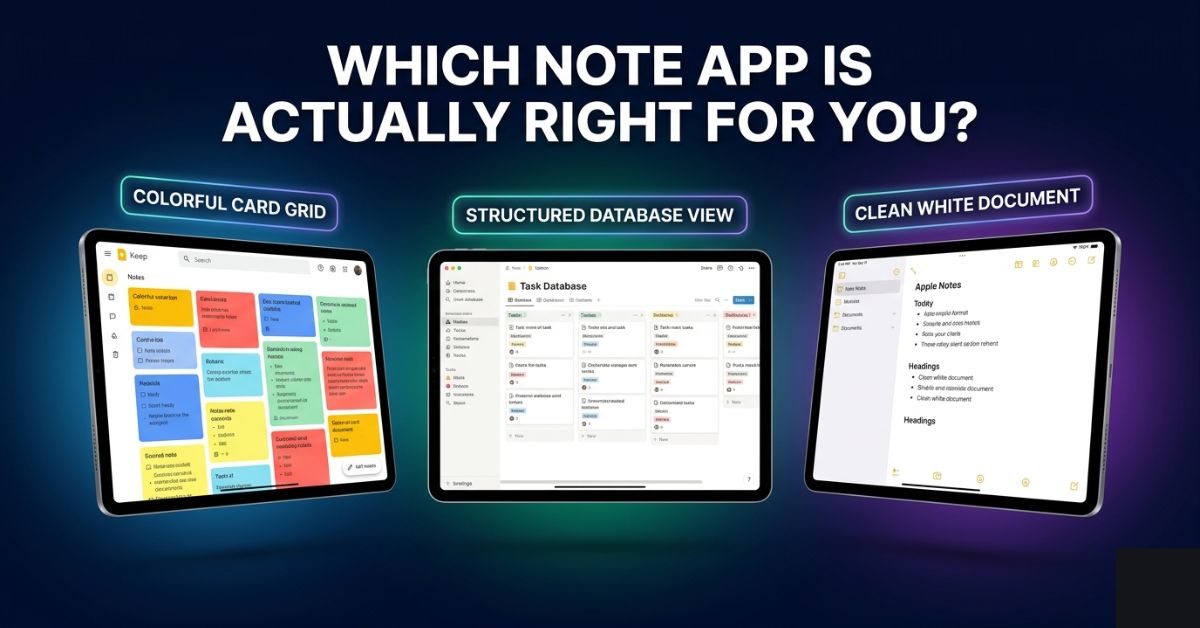
The colored card grid looks casual, it is deliberate. No decision about where a note goes, no folder to choose and there’s no template to select. You open it, you capture the thing, you close it and the moment you were in the middle of resumes without a seam. Labels exist for when you want organization. Search is genuinely excellent, working on partial and approximate queries without requiring you to remember the exact phrase you used. Notes sync instantly across every Android and iOS device and every browser with no configuration. Reminders tie directly into Google Calendar, you can share a shopping list with someone in seconds.
What Keep is not is a place where information builds on itself. Notes do not link to each other, there is no document hierarchy beyond labels. There is no database, no table, no template, no way to see notes in a filtered view or connect them through a shared property. This is not a feature gap that can be worked around, it is a product philosophy. Keep was built for individual notes that are useful in themselves, not for a system where notes gain meaning through their relationship to other notes.
One thing worth stating directly: Keep is entirely free. Permanently. No paid tier, no feature gates, no upgrade nudges. In a category where nearly everything eventually asks for money, this is unusual enough to matter.
For anyone already in the Google ecosystem, Google Maps has a Timeline feature that logs where you’ve been, useful for people who use Keep to capture location-based notes.
Apple Notes And Why People Dismiss Before They Open It Properly.
Apple Notes has a reputation problem that is entirely disconnected from what the app actually does. It comes pre-installed on every iPhone and Mac, and pre-installed carries a specific cultural implication: placeholder, not serious tool. The real thing is something you download. The thing that came with the device is what you use until you find the real thing.
This is wrong, specifically and demonstrably wrong for Apple Notes in 2026 and it is costing people who default to third-party apps without ever seriously trying the one that was already on their device.
The formatting that Apple Notes supports is not basic. It is genuinely capable. Multiple heading levels, bold and italic, checklist items that work cleanly, full table support, inline image and file attachments, document scanning directly from the camera that produces clean legible PDFs, audio recordings, inline drawings where handwriting recognition converts handwritten text to typed characters. Smart folders automatically collect notes matching rules you set, the same logical way smart playlists work in music apps. Tags cross folder structure. Shared notes work cleanly for collaboration. Locked notes use end-to-end encryption that Apple itself cannot access.
The most important thing about all of this is that none of it requires a subscription. None of it requires setting up a new account. If you have an iPhone, you have a genuinely capable note-taking application sitting on your home screen right now that handles everything the majority of people actually need from a notes tool.
The constraint is real and deserves plain language: Apple Notes is Apple-only. No Android app. No Windows app. The iCloud.com browser interface works but does not feel like the native experience. For someone whose daily devices cross between iPhone and Windows, or Mac and Android phone, Apple Notes creates a friction point that eventually becomes genuinely annoying. For someone who works entirely within the Apple ecosystem, this constraint is completely invisible, which is most of Apple’s user base.
The second limitation is structural. Apple Notes is a document and organisation tool. You can nest folders, apply tags, and search across everything well. You cannot build a database, link records through shared properties, or filter your note library by a custom field. For everything below that ceiling, Apple Notes is excellent. At that ceiling, Notion is the appropriate next step.
Why Notion Is Right for Fewer People Than the Algorithm Suggests.
Notion is the most capable free tool in this category and it is not close. It is also, in a way that takes some courage to say directly, actively the wrong tool for the majority of the people who try it, and the reason they try it is mostly that it photographs well.
What Notion actually is requires a more honest description than most comparisons provide. It is a workspace construction kit, not a notes app. You build pages. Pages contain text, checklists, images, embedded content, code blocks and databases. Databases are collections of records with custom properties.
A record can be a task with a status, a due date and an assigned person. A book with a reading status, a rating and a summary. A piece of content with a draft stage, a word count and a publication date. Databases have multiple views: table, kanban board, calendar, gallery or timeline, each surfacing the same records differently depending on what is useful in the moment. Pages can link to other pages. Database records can reference records in other databases through relation properties.
For someone whose work involves managing information across multiple ongoing projects that need to be connected, filtered, and queried, this is not just useful. It is the difference between a functional system and a collection of disconnected notes. A freelance writer tracking pitches, drafts, publications, and invoices in one linked system is getting something from Notion that no other free tool provides. A student building a research base where literature notes connect to argument notes connect to essay outlines is working in a way that Keep and Apple Notes cannot support.
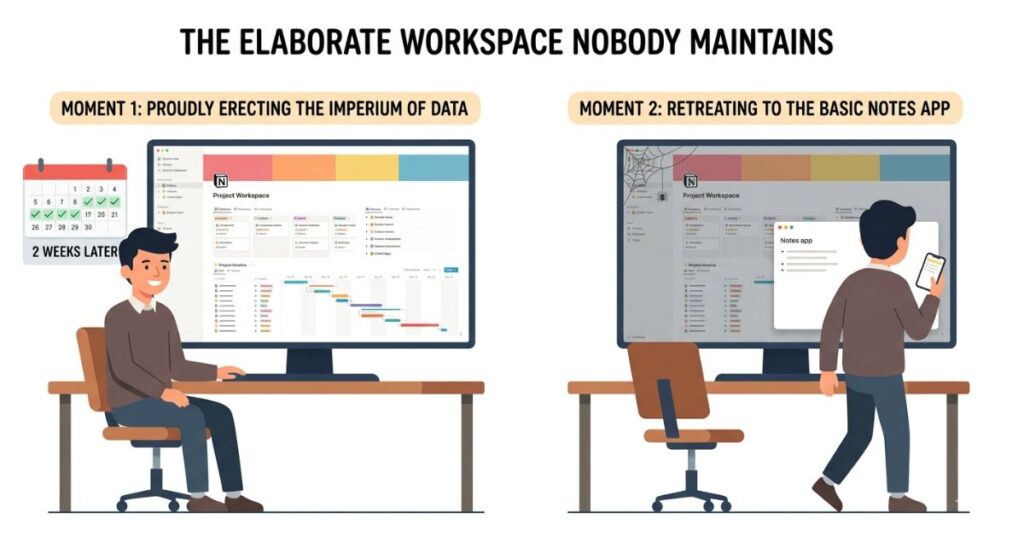
The failure mode of Notion is specific and widely documented enough that naming it plainly is more useful than dancing around it. Users invest significant time building a workspace before they have done much actual work in it. The system looks correct. It is logical and structured and satisfying to navigate. Then the real work starts, and the properties that seemed comprehensive need a field they do not have, and the hierarchy that made sense in planning does not match how the project actually developed, and revising the architecture starts to feel like more work than the work itself. People stop using the system before they stop feeling guilty about not using it.
The Notion users for whom this failure never happens are not more disciplined than the ones for whom it does. They are simply people whose relationship to structure and system-building is genuinely sustainable rather than aspirational. Knowing honestly which of those two descriptions fits you is the most useful question in this entire comparison.
The free tier is genuinely functional for individual use: unlimited pages and blocks, limited file upload sizes and block history, with collaboration and advanced permissions requiring paid plans. For personal note-taking and knowledge management, the free tier is sufficient.
Which User Each App Was Actually Built For
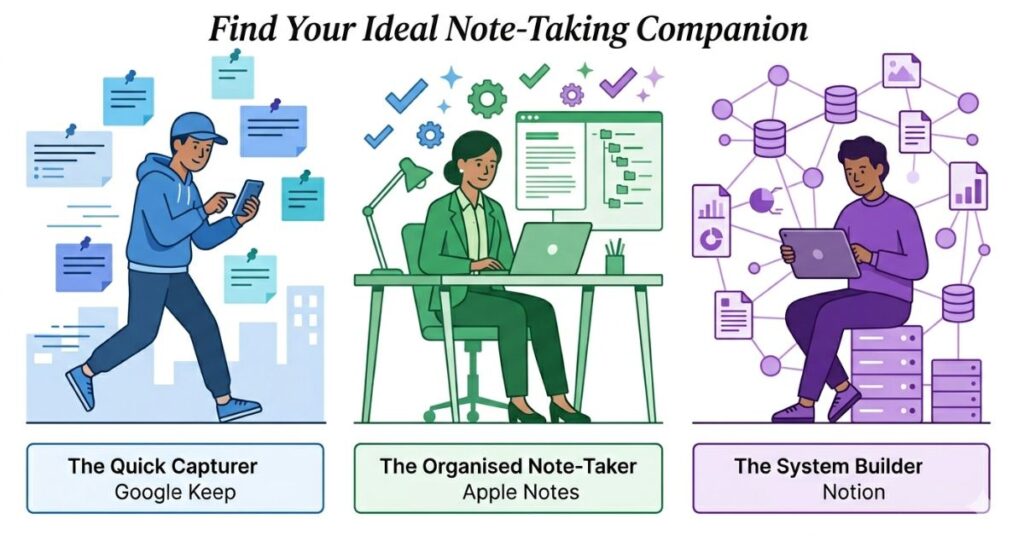
Google Keep was built for the person whose note-taking looks like this in practice: you are in a supermarket and remember something that was not on the list. You are walking and an idea arrives, hear a name and want to look it up later. You are in a meeting and want to note something without it feeling like you are ignoring the person speaking. The notes are self-contained and valuable individually. The system’s job is to hold them safely and return them when searched.
Apple Notes was built for someone whose note-taking looks more like this; you have a meeting and want a structured record with sections, an action list and an attached document.
If you’re capturing meeting notes specifically, AI transcription apps can do the capturing automatically so you’re not typing during the call.
You are reading something and want to save a longer reflection with quotes and your own annotations. When you are managing a project that needs a document with formatting and checkboxes and a clear structure. You want everything to work on your iPhone, iPad, and Mac without thinking about it.
Notion was built for someone whose note-taking looks like this: you are working on several parallel projects and need to see the status of each one in one filterable view. You want to build a reading list that tracks completion, ratings and notes connected to the ideas that came from them. Even when you are studying and want your notes on one topic to surface when you are writing about a connected topic. You see structure as an investment that pays returns, not an obligation that produces overhead.
The difference between the Apple Notes user and the Notion user is not intelligence or ambition. It is appetite for structural complexity and the honest willingness to maintain it over time. Many very capable, very organised people belong clearly in the Apple Notes category and get nothing from Notion’s capabilities because they do not need them. Knowing which category genuinely describes you, rather than which one you find aspirationally appealing, produces the answer that will actually improve your daily experience.
Google Keep vs Notion vs Apple Notes in 2026
| Feature | Google Keep | Notion | Apple Notes |
|---|---|---|---|
| Completely free | Yes | Free tier (limited collaboration) | Yes |
| iOS and Android | Yes | Yes | iOS only |
| Windows and Mac | Web browser only | Yes (desktop app) | Mac only |
| Offline access | Yes | Yes (limited) | Yes |
| Rich text formatting | Basic | Extensive | Strong |
| Database and linked views | No | Yes | No |
| Nested pages and hierarchy | No | Yes (unlimited) | Yes (folders) |
| Quick capture speed | Excellent | Slow | Good |
| Search quality | Excellent | Good | Excellent |
| End-to-end encryption | No | No | Yes (locked notes) |
| Collaboration | Basic sharing | Extensive (advanced requires paid) | Shared notes |
| Learning curve | Very Low | High | Low |
| Best suited for | Capture and quick retrieval | Knowledge systems and projects | Apple users, everyday documents |
What Actually Matters More Than the App You Choose
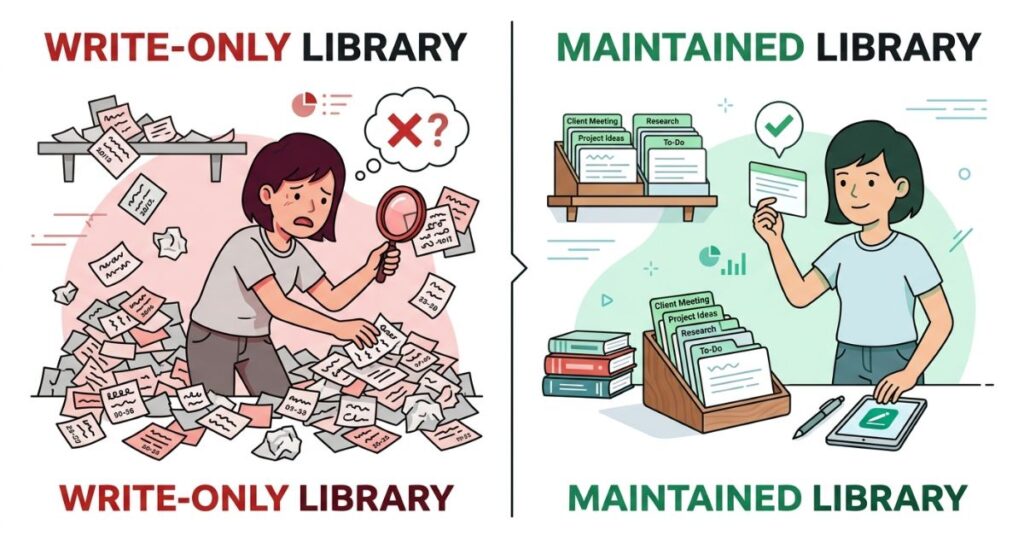
Insight moment 3: If you have ever opened a note-taking app, scanned the list of notes inside it, and felt a vague anxiety about how many of them you cannot quite remember the relevance of, you have already encountered the real problem with personal note management. It is not the app. It is what happens, or does not happen, in the weeks and months after the note is captured.
Most digital note collections are effectively write-only. The person who created them captures reliably, sometimes compulsively, and retrieves almost never except in the specific frustrated moment of searching for something and failing to find it. The search fails because the note was not tagged consistently, or was filed somewhere logical at the time that no longer makes sense, or is indistinguishable from forty similar notes by its title alone. The person captures the next thing without addressing the underlying problem. The library grows. The retrievability decreases.
A note that cannot be found when relevant is not a note. It is a record of a thought that existed once and then became permanently inaccessible. The value of a note-taking system is not in the notes it contains. It is in the notes that actually surface when useful, connect to current thinking, and are consulted rather than just theoretically available.
The habit that determines whether any note-taking app produces real value is not the capture habit. It is the maintenance habit: tagging consistently enough that search produces results, reviewing notes often enough that they stay connected to current work, and deleting old notes that will never be consulted rather than letting the archive grow into something too large to navigate honestly.
This applies equally across all three apps. A Google Keep library with three consistent labels and a monthly review genuinely outperforms a Notion workspace with an elaborate structure that its owner quietly stopped maintaining after the initial build. The discipline determines the outcome. The app is where the discipline lives, not a replacement for it.
Common Mistakes That Make All Three Apps Less Useful
Capturing everything without filtering. The compulsion to save every link, every thought, every quote feels productive at the moment of capture and produces an unusable library over time. A collection that contains everything important also contains everything unimportant, and navigating them becomes effectively the same experience as not having a library at all. The useful question at capture is not “might this matter” but “is this specific enough and important enough that I will actually want to retrieve it.” If the answer is genuinely uncertain, the note is probably not worth taking.
Choosing Notion because it looks impressive. This deserves naming directly because it produces a specific and recognisable failure pattern. If you have downloaded Notion before, built a workspace, and gradually stopped using it, that experience is data about you and the tool, not a failure of willpower. Notion is not for everyone and it is not a lesser version of Notion if you do not use it. It is a signal that you belong in the category of person that Keep or Apple Notes was built for. That is entirely valid and considerably more honest than trying again with a different template.
Treating a note library as a permanent archive. Notes from a project that ended eighteen months ago, links to articles that have since been deleted, ideas that have not been pursued in years: all of these accumulate and degrade the signal-to-noise ratio of an active library without providing any practical value. Deleting notes is not losing information. For the overwhelming majority of notes, it is maintenance that makes the remaining notes findable.
Doing a partial migration when switching apps. Almost everyone who switches note-taking apps migrates the notes that feel important right now, leaves the rest in the old app, and ends up checking two separate systems indefinitely for different things. The only two options that produce a coherent outcome are migrating everything completely or starting fresh in the new app. The clean start, which sounds uncomfortable, consistently produces a better long-term result than a partial migration that fragments your library across two places.
Building an elaborate Notion system before using it for real work. Design the smallest possible system. Start using it with actual work. Revise what does not work based on what the work actually requires, not what the system was designed to theoretically support. The elaborate workspace built before use has a specific failure mode: it describes how you imagine you will work rather than how you actually do, and the gap between the two is where most Notion experiments end.
When the App Choice Actually Starts to Matter
For most casual users, the choice between these three apps matters less than any comparison suggests. Twenty notes work equally well in all of them. The differences become genuinely consequential at scale and in specific use contexts.
When note volume grows large, typically above a few hundred items, Keep’s flat structure starts to constrain retrieval in ways that were not apparent at lower volumes. Label consistency matters more. Search queries need to be more precise. The lack of any hierarchical navigation beyond labels starts to feel limiting in a practical daily way rather than just a theoretical one.
When notes need to actively inform ongoing work rather than simply record it, both Keep and Apple Notes reach their ceiling at approximately the same point. The moment you want to filter all your research notes by topic to see what you have on a specific question, or connect your meeting notes to the project they belong to, or see the status of several parallel workstreams in one view, you are doing what Notion was built for and you will feel the resistance of simpler tools in every session.
When privacy is a genuine requirement rather than a nominal concern, Apple Notes’ locked note encryption is a meaningfully different level of protection from what Keep and Notion offer. For notes containing medical information, financial records, legal correspondence, or anything where genuine privacy matters rather than just the general comfort of keeping things to yourself, this difference is worth weighing seriously.
When cross-platform consistency is essential and your devices span both Apple and non-Apple platforms, Apple Notes is eliminated entirely by its own design. The choice between Keep and Notion then comes back to the structural question, and the answer to that question remains the same regardless of which devices prompted it.
What You Should Do. Step by Step.
Step 1: Before choosing anything, be honest about which description matches your actual relationship with notes: capture individual thoughts and find them later (Keep), document and organize within Apple devices with real formatting (Apple Notes) or build systems where information connects and informs other information (Notion).
Step 2: Start with what you already have. If you are on iPhone, open Apple Notes and use it genuinely for two full weeks before downloading anything else. Most iPhone users who do this discover they do not need anything else. If you are a heavy Google services user, Keep is already there and already integrated. Give what you have a real trial before adding complexity.
Step 3: If you are starting Notion for the first time, create exactly one database for one specific, bounded use case. Not a life operating system. Not a complete workspace. One database, used with real work, evaluated honestly after two weeks. Build from evidence, not from planning.
Step 4: From the first note in any app, apply a consistent organisation structure: three to five categories or tags that cover everything you are likely to capture. Apply them to every note. Retroactive organisation is significantly more effortful than consistent forward organisation and produces worse results.
Step 5: Put a ten-minute monthly reminder in your calendar. Open the app, delete what is no longer relevant, and confirm that the organisation structure still reflects how you are actually using the tool. This single habit, applied consistently, prevents the gradual descent into digital chaos that makes every note-taking app less useful over time regardless of how well it was set up initially.
Frequently Asked Questions
Final Thoughts
There is something specific and recognizable about the feeling of having too many notes and being unable to find any of them at the moment they would be most useful. A particular quiet frustration. The awareness that somewhere in there is the thing you need, and the system you trusted to hold it has grown past the point where you can navigate it with any confidence. Most people who use note-taking apps have experienced this. Many of them responded by switching apps.
The switch usually produces the same outcome after a different interval. Not because the new app is bad but because the problem was never the app.
What this comparison keeps coming back to is the gap between the tool someone chooses and the person they actually are when they are using it. Google Keep is right for more people than choose it, because most people take notes the way Keep was designed for and reach for more complex tools because complex sounds more capable.
Apple Notes is right for more Apple users than use it, because the stigma of the pre-installed app is not a fair reflection of what the app actually does. Notion is right for a specific minority of users whose work genuinely requires what it provides, and it is actively the wrong tool for the majority who try it because they saw it on YouTube and it looked like something they should be doing.
The question is not which app is best, it has never been that. The question is which app was designed for someone whose notes look like yours.

App