The AI Meeting Transcription Apps I Tested and Which One I Kept
A few months back I got tired of half listening to client calls because I was too busy typing notes and then realizing afterward I’d missed the one number someone mentioned in passing. So I went through five of the more recommended free AI meeting transcription apps, used them across real calls, actual client work, team check ins, a few longer planning sessions and just watched to see where each one fell apart. Because they all fall apart somewhere but none of them are bad, exactly. But there’s a real gap between “this technically works” and “this works well enough that I’d stop double checking it,” and that gap turned out to be bigger than I expected. It also wasn’t always the tool I would have guessed going in.
This isn’t a top ten roundup of every transcription app that exists. It’s the five I kept coming back to long enough to actually form an opinion on: Fathom, tl;dv, Otter, Fireflies and Notta. If you’re trying to pick a free meeting transcription app in 2026 these five will probably cover whatever situation you’re in, and knowing ahead of time where each one struggles can save you from finding out mid call, which is a worse time to find out.
Quick note before I get into it. Most reviews of these tools lead with the feature checklist, does it integrate with Zoom, does it summarize, does it handle your language. Those things matter but honestly they weren’t where I ran into trouble. What actually separated these apps for me, in practice, was smaller and messier than a feature list: what happens when the free minutes run out halfway through the month, whether the transcript needs heavy editing or is usable as is, how the tool copes when someone joins late or talks over someone else or there’s actual background noise instead of a quiet room. And whether the bot joining the call becomes its own awkward little moment, the kind where someone goes “wait, who’s this,” and now you’re explaining yourself instead of starting the meeting.
A tool that claims 98 percent accuracy on a clean test recording can still feel completely unreliable the second two people talk over each other, and let’s be honest, that happens in basically every meeting you will ever sit in.
Fathom
I’d recommend Fathom first to pretty much anyone, mostly because there’s no catch to explain. Fathom’s free plan covers Zoom, Google Meet, and Microsoft Teams, with meeting notes, timestamps, and highlight reels, and there’s no usage cap. That last part matters more than it sounds like it should. Most of the other tools here cap your minutes per month, which seems generous right up until you’ve had three client calls in one week and the meter runs dry by Thursday.
Where it’s weaker is depth. It does the core job well, recording, transcribing, summarizing, but it doesn’t go nearly as far into analytics or workflow automation as some of the paid focused competitors. Honestly, for most people that’s fine. If you just need a transcript and a summary you can trust, you’re covered. If you’re trying to build out CRM automation or track talk time across a sales team, you’ll outgrow it fast, and you’ll know exactly when that happens because you’ll start wishing for a feature that isn’t there.
tl;dv
I keep coming back to tl;dv for a reason that has nothing to do with how good the transcription itself is. It’s built in Europe, GDPR compliant, SOC 2 certified, with EU data residency options, and it doesn’t use your data to train its models. If you’re a freelancer or running a small team and you’d rather not have client conversations quietly feeding some company’s training pipeline, that’s not just a line on a features page. It’s a real structural difference.
There’s a wrinkle though, and it caught me off guard the first time it happened. If you’re on Google Meet specifically, Google pushed an update back in March that flags third party notetaker bots as a “potential risk” and just defaults to blocking them, meaning the host has to manually let it in. I sat there for a solid two minutes wondering why tl;dv wasn’t joining before I realized it was Google doing the blocking, not the tool failing. The workaround is to use tl;dv’s native desktop app instead of the bot, since that captures audio straight from your device rather than trying to join as a visible participant. Once I switched over, the problem just went away.
Otter
Most of these tools assume you’re recording a video call. Otter’s the one I reach for when that’s not true, lectures, in person interviews, sitting across a table from someone rather than a screen. The free plan gives you 300 minutes a month, real time transcription, accuracy that’s claimed around 95 percent.
Three hundred minutes sounds like plenty until you actually do the math. That’s ten hours, which is fine for occasional use but tightens up fast if you’re recording daily standups on top of client calls. What I actually liked about it was the real time piece, you can glance down mid conversation and roughly see what’s being captured, which mattered more than I expected the first time someone said something I needed quoted precisely later on. Where it falls short, and this is sort of obvious in hindsight, is anywhere near sales workflows or CRM integration. It’s just not built for that the way Fireflies is.
Fireflies
If you’re the type who needs to go back and search “wait, what did the client actually say about pricing in March,” Fireflies is built for exactly that habit. It treats transcripts less like meeting records and more like a searchable database, and it’s clearly built with sales teams in mind given how naturally it pushes conversation data into CRM tools rather than just sitting there as a static file you have to dig through manually.
The flip side is that this same strength becomes a narrowing. If you don’t need a searchable archive across dozens of old calls, or you’re not feeding anything into a sales pipeline, most of what makes Fireflies good is basically invisible to you. You end up with a transcription tool that’s fine, perfectly fine, but not meaningfully better for your situation than Fathom or tl;dv would be.
Notta
This is the one I pull out specifically when a call isn’t going to stay in one language, and by the numbers it’s the most accurate tool on this list. Notta claims 98.86 percent accuracy and supports 58 languages, with an hour long recording transcribed in roughly five minutes. I tested it on a call that kept shifting between English and Hindi mid sentence, the kind of switching that breaks most transcription tools outright, and it handled the transition a lot more cleanly than I expected going in.
The catch is the free tier. You only get 120 minutes a month, which is the tightest cap of anything on this list. Fine if multilingual calls are occasional for you. Becomes a real problem fast if they’re a regular part of your work, and you’ll be looking at the paid plan sooner than you would with Fathom or tl;dv.
If you’re regularly dealing with documents in multiple languages rather than just audio, AI translation and rewriting tools cover that side of the workflow.
How They Actually Handle Cross Talk and Bad Audio
Here’s something worth knowing before you trust any of these accuracy numbers. The 95 percent here, the 98.86 percent there, almost all of it gets measured against clean audio. One speaker, decent mic, quiet room. That’s not what an actual meeting sounds like most of the time, and it’s not where I noticed the real differences between these tools either.
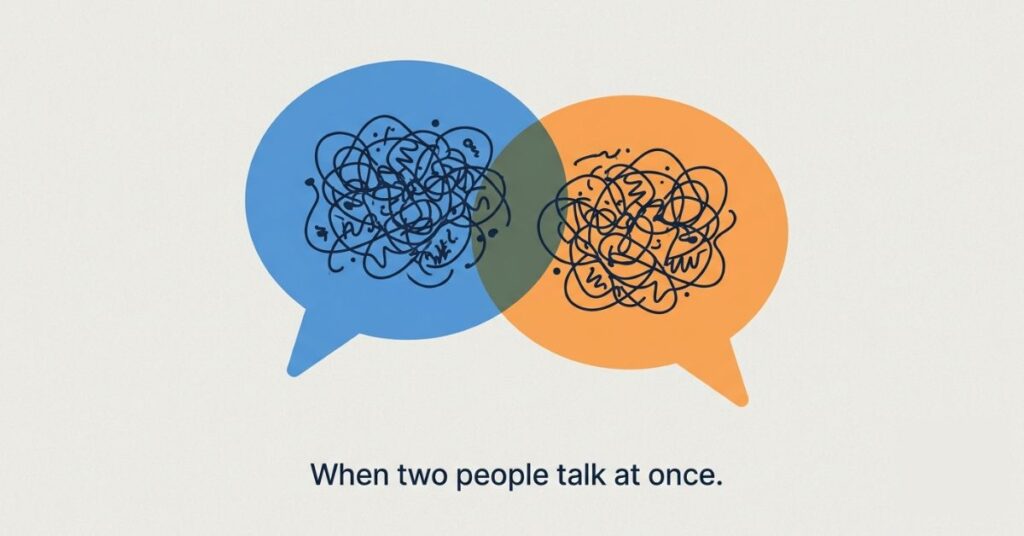
Cross talk is the hardest thing for any of them to deal with well. There was a three hour product session I sat through with five people on the call, and there were stretches where someone jumped in before another person had finished their sentence. Notta and tl;dv handled it the best out of the five, generally getting the attribution right even when the audio overlapped for a second or two. Otter struggled more here. A few times it merged two people’s words into one garbled line that needed manual fixing afterward. I don’t think that’s a flaw unique to Otter so much as a real time tradeoff, since real time tools have less room to wait and listen before committing to text, and that speed comes at a cost.
Background noise was a similar story, sort of. A dog barking, someone’s delivery at the door, a laptop fan running loud, none of that is unusual and most tools shrug it off fine if it’s brief. What actually trips them up is sustained noise, like a call taken from a coffee shop. Fireflies and Fathom both held up reasonably well there, probably because they’re processing audio after the call ends rather than live, which gives the model more context to work with before it commits to a guess.
Accents are where I’d push back on the marketing copy hardest, honestly. A 95 percent accuracy claim usually reflects performance on a fairly narrow band of accents, North American English mostly. None of the five tools were unusable outside that, to be clear, but the error rate climbed noticeably, especially around names and proper nouns. If your meetings regularly include a range of accents, treat every accuracy number you read as a best case scenario, not a promise.
What Happens When You Outgrow the Free Tier
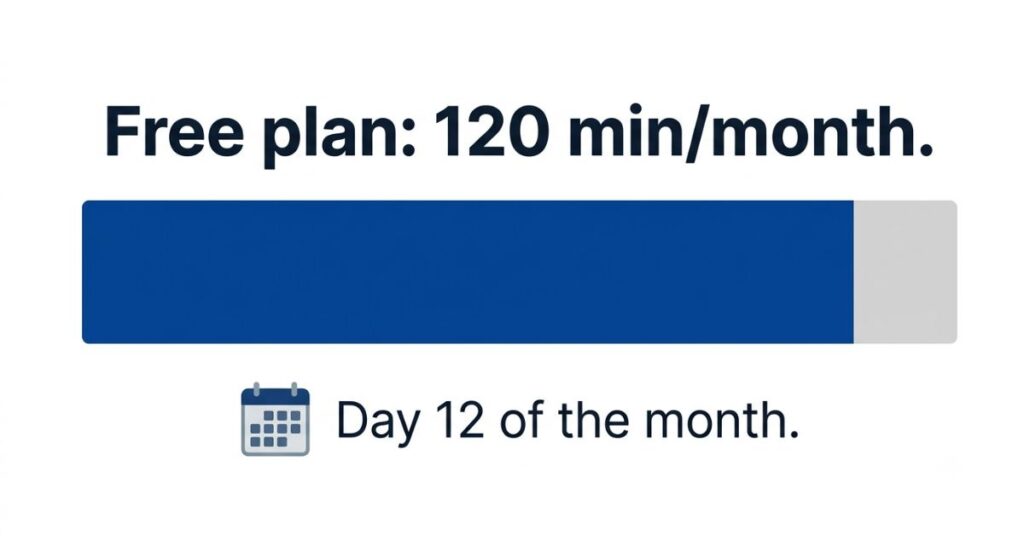
120 minutes a month sounds fine until you have a busy week in the middle of the month.
Eventually, if you use any of these seriously, you’ll hit some kind of wall. Either a minute cap, or a missing feature, or a workflow you wish it supported and it just doesn’t. Worth knowing what that wall looks like for each one before you’ve built three months of habit around it.
For Otter and Notta, the wall is minutes. You’ll see it coming because you’ll start watching the counter, which honestly is its own kind of annoying even before you actually run out. Upgrading on either is pretty painless, your account and transcripts carry straight over, you’re just removing the cap.
Fathom and tl;dv don’t have that minute wall at all, so what you hit instead is a feature ceiling. Maybe you want deeper analytics, or more granular search across old meetings, or some automation that’s locked to paid. That’s a softer wall. Nothing breaks, you can keep using the free version forever technically, you just start noticing what you’re missing.
Fireflies sits somewhere in between. Core transcription stays usable for free, but the CRM integration and automation that actually make it distinctive are mostly paid only. If those features are why you picked Fireflies in the first place, you’ll probably hit that wall faster than expected, sometimes within the first few weeks of actually trying to build a workflow around it.
The practical takeaway, if there is one, is to pick based on which wall you’d rather deal with later. A minute cap is at least predictable. A feature wall sneaks up on you, because you usually don’t realize you need the thing until you’re already missing it.
Comparison Table
| Tool | Free Plan Limit | Best For | Standout Feature | Where It Falls Short |
|---|---|---|---|---|
| Fathom | Unlimited | Anyone wanting a no catch free tool | No usage caps at all | Limited analytics depth |
| tl;dv | Unlimited | Privacy conscious users | GDPR compliant, EU data residency | Google Meet bot access needs manual override |
| Otter | 300 minutes/month | In person recording, lectures, interviews | Real time transcription you can read live | Caps out fast under daily use |
| Fireflies | Free tier available | Sales teams, searchable archives | CRM integration, conversation database | Less useful outside sales workflows |
| Notta | 120 minutes/month | Multilingual meetings | 58 languages, 98.86% accuracy | Tightest free usage cap of the five |
Common Mistakes People Make Choosing One of These
Biggest one, by far, is picking based on the accuracy percentage alone. A tool advertising 98 percent on clean audio tells you nothing about how it’ll handle your actual meetings, which probably include someone calling in from a moving car, a dog losing its mind in the background, three people arguing over each other about a deadline. Test it on a real, messy call before you trust it with something that matters.
Second mistake, people ignore how the bot actually shows up. Some of these join as a visible participant, a name and a little icon sitting right there in the call. Fine for an internal team meeting where everyone expects it. Can feel genuinely strange, even unprofessional, on a client call where nobody warned the other side a bot would be listening in. If that’s a concern for you, lean toward bot free or desktop capture options, tl;dv’s app being the obvious example, instead of something that always joins visibly.
Third, and this one’s easy to miss, assuming the free tier will just stay comfortable forever. Otter and Notta both cap your monthly minutes, and it’s surprisingly easy to underestimate how fast a busy month chews through that allowance. If your meeting volume swings around a lot, Fathom’s uncapped plan removes that whole headache.
When This Becomes Real
This stops being a theoretical comparison the moment it’s a call that actually mattered, a client negotiation, a job interview, a meeting where someone made a commitment you’ll need to point back to later. That’s exactly the wrong moment to discover your tool mangles names, or drops the last five minutes because you hit your cap, or hands you a transcript so disorganized you end up rewatching the whole recording anyway. Pick your tool before that meeting happens. Not during it, and definitely not after.
How to Choose the Right One for You
Start with how you actually use meetings, not the feature list. Handful of calls a week and you want zero chance of hitting a wall mid month? Fathom removes that worry completely. Client confidentiality or data residency actually matters in your line of work? tl;dv’s privacy setup is worth the small annoyance of the Google Meet bot issue. More of your meetings happen in person than on a screen? Otter’s real time transcription fits that better than anything built around joining a video call. Running a sales pipeline and need to search across months of old conversations? Fireflies earns its narrower focus there. And if your work crosses languages regularly, Notta’s accuracy is worth working around the tighter free limit.
It’s also worth thinking about who else is on the call, not just what you need. A bot visibly joining as a named participant is a non issue on an internal team call where everyone expects it. It can feel intrusive on a first call with a new client, or a more sensitive one on one. In those situations a bot free option that captures audio locally, tl;dv’s desktop app again, avoids putting the other person in the position of having to ask what’s recording them. Small detail, but it shapes whether people actually feel comfortable speaking freely, and that matters more than any accuracy number if the point of the call was an honest conversation in the first place.
Once you have the transcript, where it goes next matters most people drop it into a note-taking app rather than leaving it buried in the transcription tool.
Whatever you pick, run it on one real meeting before you trust it with one that counts. The differences between these tools show up in messy, real conversations. Not in a quiet room with one person speaking clearly into a good microphone.
FAQ
Final Thoughts
I didn’t plan on ending up using more than one of these regularly, but that’s where I landed anyway. Fathom handles most of my day to day calls because the unlimited free tier means I never have to think twice about it. Notta comes out specifically when a call’s going to involve more than one language. There’s no single winner here, really. It comes down to what your meetings actually look like, not which app has the longest feature list on its pricing page.

Pingback: Google Keep vs Notion vs Apple Notes: Best Free Note-Taking App in 2026