
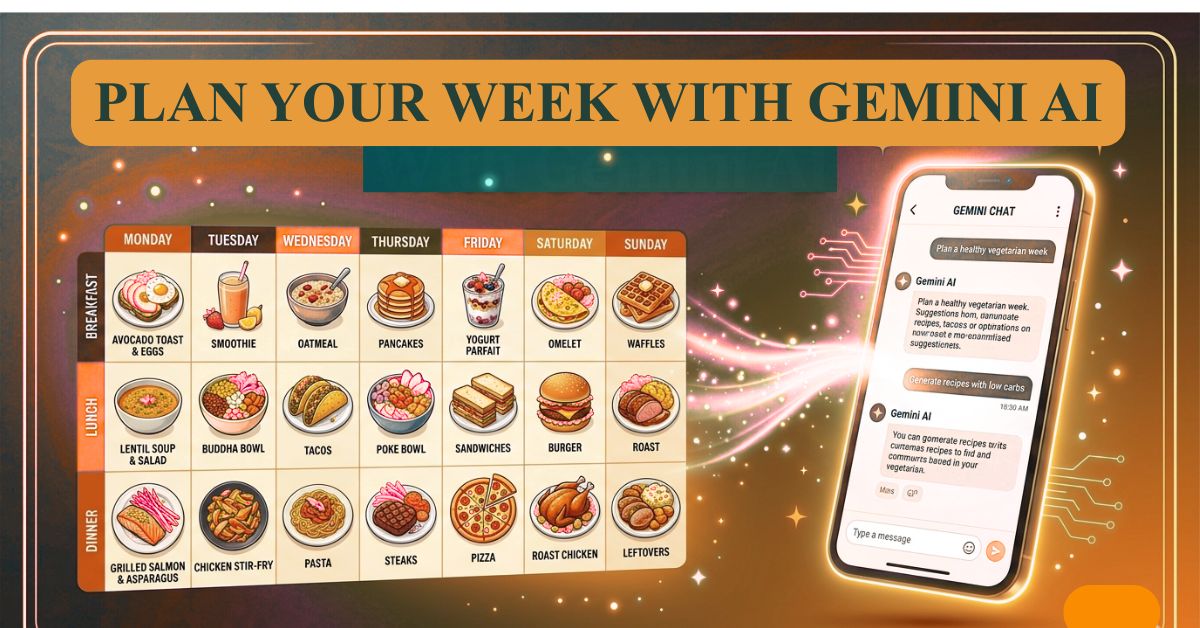
How to Use Gemini AI to Plan a Full Week of Meals (Prompt Included)
The Real Reason Your Meal Plans Always Fall Apart by Wednesday, you have done this before. Sunday evening, fresh motivation you sit down, plan seven days of meals, write a shopping list, feel genuinely organized. By Wednesday, the plan is gone. You are eating whatever is fastest because nobody had the energy to follow through.
Most people blame themselves for this. They think they lack discipline or consistency. They do not.
The real problem is that traditional meal planning is designed as a one-time decision that is supposed to survive contact with real life and it never does. A Tuesday evening with a long commute, a hungry family and 40 minutes to cook is nothing like the calm Sunday when you made the plan. The plan did not account for that reality. So it collapses.
What Gemini AI does differently is not magic. It just removes the part that always breaks first, the decision fatigue of figuring out what to cook, when to cook it and what to buy. You give it your actual situation once and it builds a week that fits your life rather than an imaginary version of it.
This guide shows you exactly how to do that, with a prompt you can use right now, real examples of what good output looks like and the follow-up techniques that turn a decent plan into one your household will actually follow.
Why “Give Me a Weekly Meal Plan” Is the Wrong Prompt
The most common AI meal planning mistake is not using the wrong tool, it is asking the right tool the wrong question.
Type “give me a weekly meal plan” into Gemini and you will get something technically correct and completely useless. It will be balanced, nutritious, and full of meals that have nothing to do with your kitchen, your budget, your family’s preferences or what is sitting in your fridge right now.
Gemini is not a nutritionist who has visited your home. It is a language model that responds to the information you give it. Vague input produces generic output every single time. The quality of what you get back is a direct reflection of the quality of what you put in.
The people who say “AI meal planning does not work” almost always made this mistake. They gave a one-line prompt and got a one-size-fits-all result, then concluded the tool was the problem.
The people quietly using it every week to plan real meals for real families gave it real context and they get genuinely useful results.
What Meal Planning Is Actually Solving (Most People Miss This)
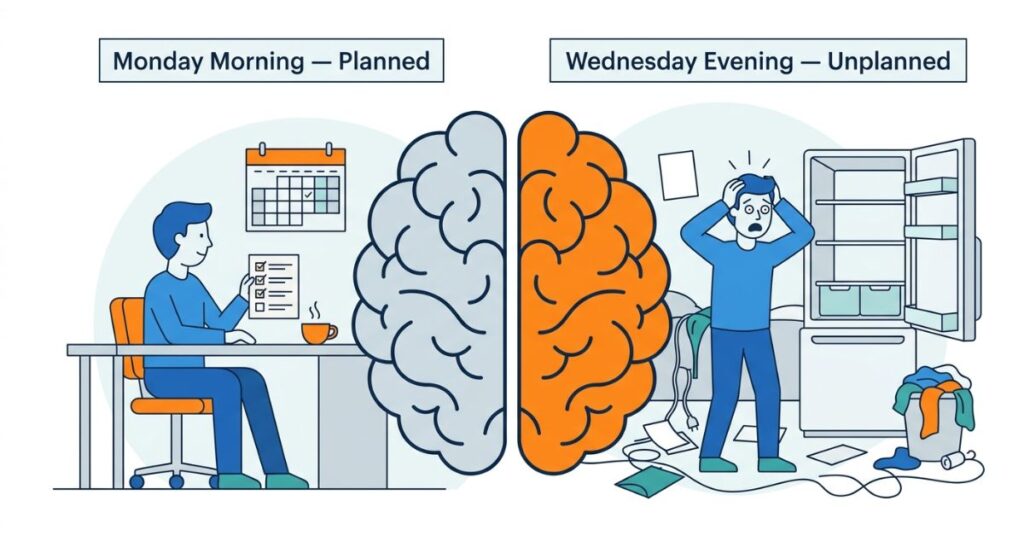
Meal planning is not really about food. It is about reducing the number of decisions you have to make when you are already depleted.
Decision fatigue is real and well-documented. By the time most people get home in the evening, they have already made hundreds of small and large decisions throughout the day. The question “what are we eating tonight” hits at the exact moment when the decision-making tank is closest to empty. That is why “I’ll just order something” wins so often not because takeaway is genuinely preferred, but because it requires the least mental effort in that moment.
A good weekly meal plan does not just tell you what to cook. It eliminates the need to decide at all. You open the plan, see Tuesday is pasta with roasted vegetables, and you cook that. The decision was made on Sunday when you had energy. Tuesday-you just executes it.
Beyond the mental load, unplanned cooking is expensive. You buy ingredients without a clear purpose, forget to use half of them, and throw them out at the end of the week. Small inefficiencies that quietly cost more money per month than most people realise.
A well-built AI meal plan solves all three of these problems simultaneously decision fatigue, food waste and unplanned spending in one ten-minute conversation.
What You Need Before You Write the Prompt
Do not skip this step. Two minutes of preparation here makes the difference between a plan you use and one you ignore.
Before opening Gemini, have these ready:
How many people are eating: adults, children, elderly family members, and any dietary restrictions for each.
Your weekly food budget: even a rough range is useful. It changes what Gemini recommends significantly.
Your cuisine preferences: the type of food your household actually eats regularly not what sounds healthy in theory.
Realistic cooking time per day: be honest. If weekday evenings give you thirty minutes, say thirty minutes. Overestimating leads to a plan full of meals you will skip.
Any health or dietary restrictions: diabetes, allergies, vegetarian days, religious dietary requirements, foods certain family members refuse to eat.
What is already in your kitchen: leftover ingredients, pantry staples, anything that needs to be used before it goes bad.
The more accurately you fill these in, the more useful your meal plan will be.
The Exact Prompt to Use in Gemini
Open Gemini at gemini and paste this prompt with your own details:
I need a practical, realistic 7-day meal plan for my household. Here are the details:

Number of people: [e.g. 2 adults and 2 children] Weekly food budget: [e.g. approximately $80–$100 / or your local currency equivalent] Cuisine preference: [e.g. Mediterranean home cooking / simple comfort food / Asian meals / mixed] Cooking time available: [e.g. 30 minutes on weekdays, 1 hour on weekends] Dietary restrictions: [e.g. no shellfish, one vegetarian, one lactose intolerant] Ingredients already in the kitchen: [e.g. pasta, canned tomatoes, rice, onions, eggs, basic spices] Foods to avoid: [e.g. my children will not eat mushrooms or spicy food]

Please create a day-by-day plan covering breakfast, lunch and dinner for all 7 days. Keep the meals practical and home-kitchen friendly — not restaurant-style. Use leftovers intelligently across days where possible. At the end, produce one consolidated shopping list organized by category: fresh produce, meat and protein, dairy, dry goods and pantry items.
This single prompt produces a complete, categorized, realistic meal plan built around your actual household not a template.
What Good Output Actually Looks Like
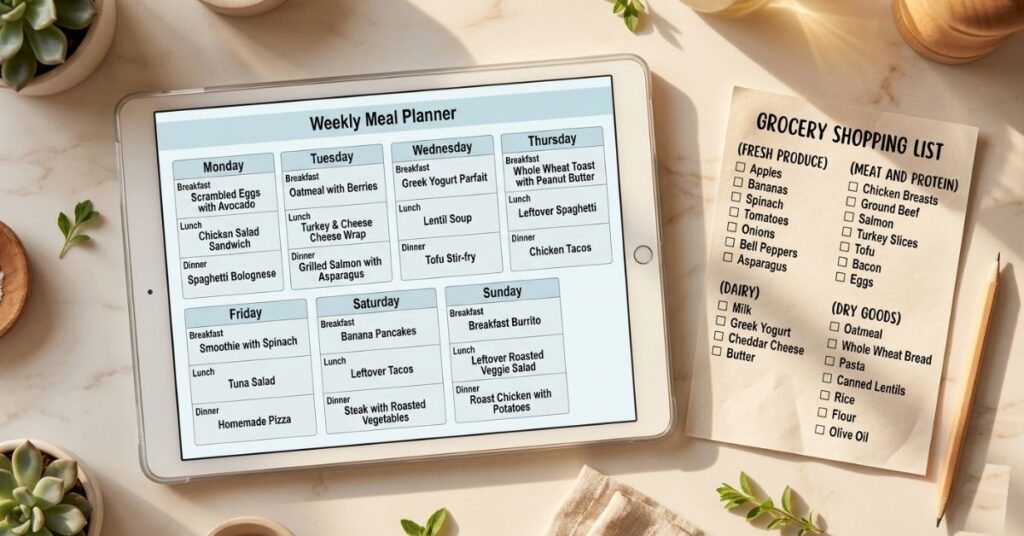
Here is a sample of what Gemini produces when you give it proper context, two days from a plan for a family of four with a moderate budget and mixed preferences:
Monday
- Breakfast: Scrambled eggs on toast with sliced tomatoes
- Lunch: Lentil soup with crusty bread and a simple side salad
- Dinner: Baked chicken thighs with roasted potatoes and green beans
Tuesday
- Breakfast: Overnight oats with banana and honey (prepared Sunday evening)
- Lunch: Leftover baked chicken in a wrap with salad and yoghurt dressing
- Dinner: Pasta with tomato and vegetable sauce, parmesan on the side
Notice two things. First, Gemini used Monday’s leftover chicken for Tuesday lunch, reducing both waste and effort. Second, the Tuesday breakfast was planned ahead the night before, saving morning time. These are not random choices; they come from the cooking time and efficiency parameters in the prompt.
That level of practical thinking is what separates a contextual prompt from a vague one.
How to Refine the Output With Follow-Up Prompts
The first result is a draft. Two or three follow-up prompts turn it into something genuinely personalised:
To swap a meal that does not work:
Replace Thursday dinner with something that uses ground beef and takes under 25 minutes.To reduce the budget:
Adjust the plan to cut costs — replace meat on three days with egg or legume-based meals instead.To accommodate a health condition:
Modify this plan to be suitable for someone managing type 2 diabetes — reduce simple carbohydrates and increase fibre and protein at each meal.To get a full recipe:
Give me the full recipe for Monday's baked chicken thighs with quantities for 4 people.To plan around what is in the fridge:
Rebuild Wednesday and Thursday using these ingredients I need to use up: half a cabbage, 3 carrots, canned chickpeas and leftover rice.Each of these takes less than thirty seconds to type and significantly improves the output.
What Actually Matters More Than the Meal Plan Itself
The meal plan is not the product. The shopping list is.
Here is something most meal planning content completely ignores: a plan without a single, complete, organised shopping trip is just a list of intentions. The reason most plans fall apart mid-week is not lack of motivation, it is that people make three separate market trips instead of one, buy duplicates, miss things, or find on Wednesday evening that they are missing a key ingredient.
Gemini’s categorised shopping list, when generated from a detailed prompt gives you everything you need for the full week in one structured document. Use it to do one grocery run at the start of the week. Everything is there, nothing is missing and the plan runs itself.
The second thing that matters is matching meal complexity to day difficulty. Do not put a labour-intensive meal on your hardest workday. A plan that puts a slow-cooked stew on a Wednesday evening will be abandoned for takeaway. A plan that puts that same stew on a Sunday and carries leftovers into Monday lunch, will be followed without effort. When you are honest with Gemini about your schedule, it accounts for this automatically.
The same Gemini setup used for meal planning can generate multiple camera angles of a photo useful if you’re shooting food content or any visual creative work.
Common Mistakes When Using Gemini for Meal Planning
Asking without context. A one-line prompt produces a one-size-fits-all plan. Always include your household details.
Ignoring the shopping list. The shopping list is half the value of the output. Use it for one complete weekly trip.
Planning beyond your cooking reality. If you genuinely cook for thirty minutes on weeknights, do not tell Gemini you have an hour. Be honest, the plan will be better for it.
Not including what is already in the kitchen. This is consistently the most overlooked input. Telling Gemini what you already have reduces waste, cuts shopping costs, and produces a plan that feels more realistic.
Never refining the output. The first plan is a starting point. If three meals do not work for your family, use follow-up prompts to replace them. It takes two minutes.
Starting fresh every week. After the first week, tell Gemini what worked and what did not. Your second-week plan will be noticeably better than the first.
When This Becomes a Real Problem
Unplanned eating is one of those costs that hides in plain sight. Most people know they spend too much on food but cannot pinpoint exactly where it goes. The answer is usually a combination of impulse buys, wasted ingredients, and last-minute takeaway decisions made when tired.
Over a month, the gap between a planned grocery budget and unplanned spending on food is often surprisingly large. Over a year, it is the kind of number that makes people uncomfortable when they actually calculate it.
This is not a budgeting lecture. The point is simpler: meal planning with AI takes ten minutes once a week and pays for that time many times over in money, in mental energy and in the simple relief of not having to answer “what are we eating tonight” from scratch every single day.
What You Should Do Instead — Actionable Steps
Step 1: Before anything else, spend five minutes writing down your household details, people, budget, preferences, restrictions and what is already in your kitchen. Keep this note saved somewhere. You will use it every week.
Step 2: Open gemini and paste the full prompt from this guide with your details filled in.
Step 3: Read the full 7-day output carefully. Note any meals that do not fit, wrong cuisine, too complex, missing a key ingredient.
Step 4: Use follow-up prompts to refine those specific meals. Do not rewrite the whole plan, just fix what does not work.
Step 5: Copy the categorised shopping list and complete your grocery run in one trip at the start of the week.
Step 6: Save the meal plan somewhere visible, a note on your phone, a message to yourself or a printed sheet. Visible plans get followed. Plans buried in browser tabs do not.
Step 7: At the end of the week, note two or three things that worked and one or two that did not. Feed that back into your next prompt: “Last week the Monday dinner was too time-consuming, please suggest something simpler for weekday evenings.”
Frequently Asked Questions
Final Thoughts
The households that actually stick to meal plans are not more disciplined than the ones that do not. They just have a better system.
Gemini removes the hardest part of that system, the blank page, the daily deciding, the Sunday afternoon paralysis of not knowing where to start. What you are left with is the part you were always capable of: cooking a meal you already know how to make, with ingredients already in the house.
The mindset shift worth taking from this is not “I should be more organized.” It is “the right tool can make organization almost effortless.” Ten minutes with a well-written prompt on Sunday morning can quietly transform how your entire week feels not just around food, but around the mental space that planning frees up. That is not a small thing.
For using AI across other parts of daily life rather than just meals, AI study prompt templates are the version of this that works for anyone learning something new.
