
Buying a PS5 for GTA 6? New vs Used Checklist (and Which Model to Pick)
Quick answer: Any PS5 (Slim Digital, Slim Disc or Pro) or Xbox Series X|S runs GTA 6. The PS5 Slim Digital is the cheapest PS5; the PS5 Pro has GTA 6 enhancements; the Xbox Series S is cheapest overall but has the least storage. If you buy used, insist on the original bill with a matching serial number, have the seller sign out and factory reset in front of you, test it online with your own account, and play for 30 minutes to check heat, fan noise and controller drift.
GTA 6 is a console-only launch, so many people are buying a PS5 or Xbox just for it. Prices are high and the second-hand market is busy, which makes it easy to overpay or buy a console that’s faulty, banned or locked to someone else’s account.
Which Console Should You Buy?
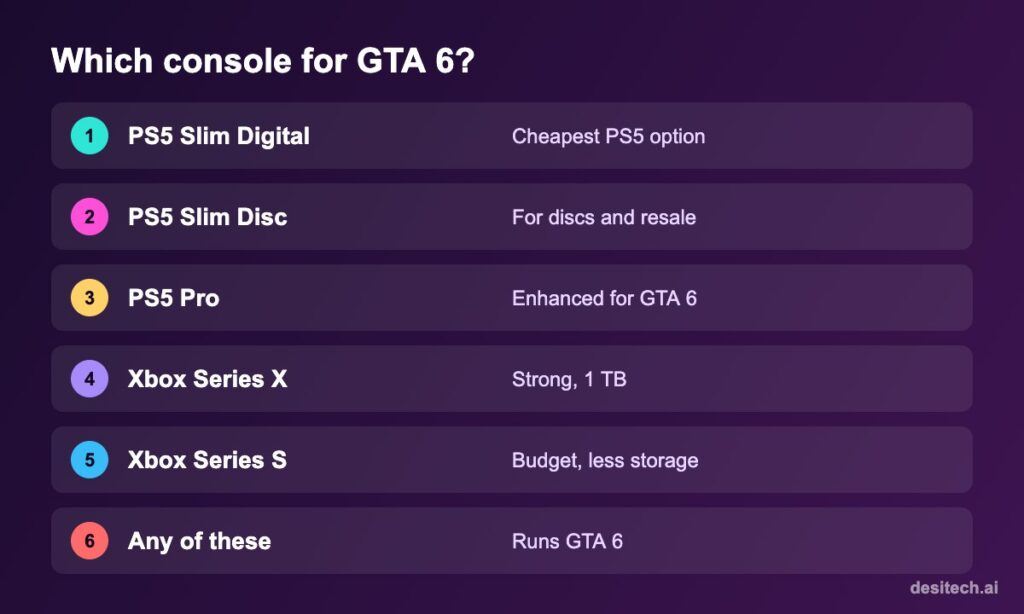
| Console | Good for | Watch out |
|---|---|---|
| PS5 Slim Digital | Lowest PS5 price; digital games | No disc drive; can’t resell games |
| PS5 Slim Disc | Discs, second-hand games | Costs more |
| PS5 Pro | Best PS5 visuals; GTA 6 is enhanced for PS5 Pro | Most expensive; disc drive sold separately |
| Xbox Series X | Strong performance, 1 TB | Fewer India-focused deals |
| Xbox Series S | Cheapest console for GTA 6 | Less storage, lower resolution |
Note that GTA 6’s physical edition is reported to be a download code in the box, so a disc drive isn’t needed for it.
New Console: Buying Tips
- Buy from authorised retailers or the brand’s official store, and keep the GST invoice for warranty.
- Watch out for bundle “deals” padded with accessories you don’t need.
- Check the warranty period and that it applies in India; imported “grey market” units may not be covered.
- Budget for extra storage if you play many large games.
Used Console: The Full Checklist
Before meeting
- Ask for photos of the bill and the serial number sticker on the console.
- Check the price against current new prices. Too-cheap deals are a red flag.
- Prefer meeting in person. Avoid paying an advance to an unknown online seller.
At the meeting

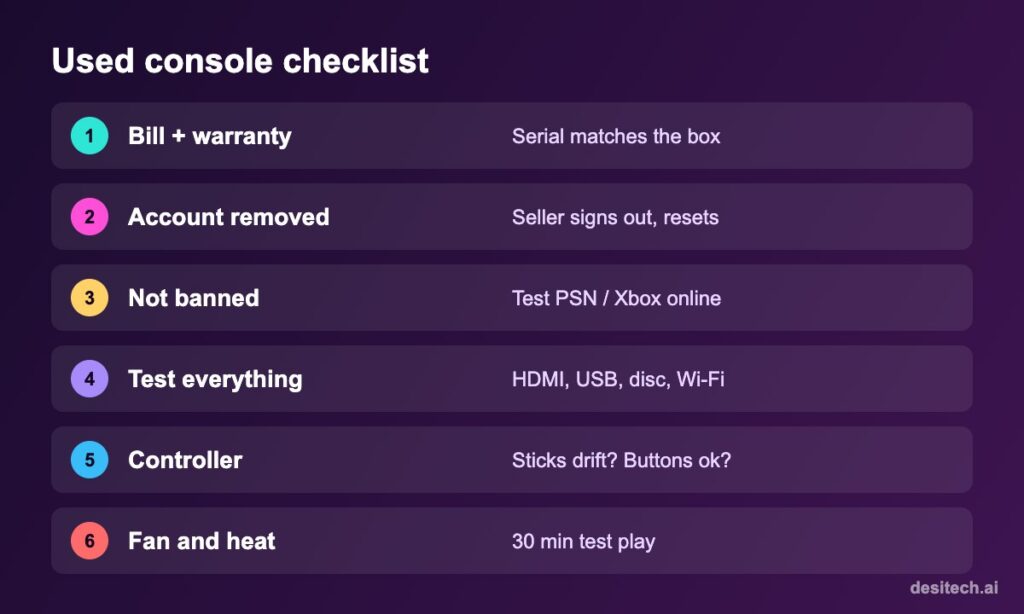
- Serial match: the serial on the console should match the box and bill.
- Online test: sign in with your PSN or Xbox account and run the network test. A console banned from online services won’t connect properly.
- Ports and drive: test HDMI, USB ports, Wi-Fi, and the disc drive if it has one.
- Controller: check for stick drift (Settings → Accessibility or a quick game), buttons, triggers and charging.
- Heat and noise: play a demanding game for 20–30 minutes. Loud, rattling fans or shutdowns are bad signs.
- Account removal: the seller should deactivate the console as their primary PS5 / home Xbox, then factory reset in front of you.
- Paperwork: get a simple sale note with both names, date, price and serial number.
Red Flags
- No bill, or “the bill is lost” plus a very low price.
- Seller refuses an online test or a 30-minute play test.
- Serial number sticker scratched or missing.
- Opened or tampered screws or warranty seals (on models that use them).
- Pressure to pay quickly by UPI before seeing the console.
After You Buy
- Set it up with your own account and turn on 2-step verification.
- Set the console as your primary PS5 / home Xbox.
- Update the system software before downloading GTA 6.
FAQ
Which is the cheapest console for GTA 6?
Usually the Xbox Series S, followed by the PS5 Slim Digital. Check current prices at authorised retailers.
Is the PS5 Pro worth it for GTA 6?
GTA 6 is enhanced for PS5 Pro, so it should look better, but a standard PS5 runs it well too. It depends on your budget and TV.
Can a used PS5 be banned?
Yes. Consoles can be banned from online services. Test it online with your own account before paying.
Do I need the disc version for GTA 6?
No. Physical copies are reported to be download codes, so the Digital Edition works fine.
The Bottom Line
Any current PlayStation or Xbox will run GTA 6. Buy new from authorised sellers if you can; if you buy used, never skip the bill, serial match, online test, play test and factory reset in front of you.
Sources
- Rockstar Games and PlayStation: GTA VI platforms, including PS5 Pro enhancements.
- PlayStation Support: Primary console and factory reset. Xbox Support: Home Xbox and reset options.
