
How to Stop Spam Calls in India: DND, 140 vs 1600 Numbers and Phone Filters
Quick answer: Register for DND (Do Not Disturb) by sending START 0 to 1909 or using the free TRAI DND app. It blocks promotional calls and SMS on Jio, Airtel, Vi and BSNL within 7 days. Promotional calls now come from numbers starting with 140, while genuine bank and government service calls use 1600. For everything else, turn on your phone’s spam filter and report spam through the DND app.
Loan offers during a meeting, credit card calls at dinner, “sir, one minute” while you’re driving: spam calls are so common in India that many of us have stopped answering unknown numbers altogether. That causes its own problems when the delivery agent or the hospital actually needs to reach you.
The good news is that India’s rules have changed a lot recently, and most of the spam you get can now be cut down with a few settings. Telecom operators blocked 1.48 billion promotional calls in a single quarter of 2026 just because people had DND switched on. Here’s how to make sure you’re one of them, and how to deal with the calls DND doesn’t catch.
Step 1: Turn On DND (Do Not Disturb)
DND is a free national registry run under TRAI rules. Once your number is registered, registered telemarketers aren’t allowed to send you promotional calls or SMS in the categories you’ve blocked.
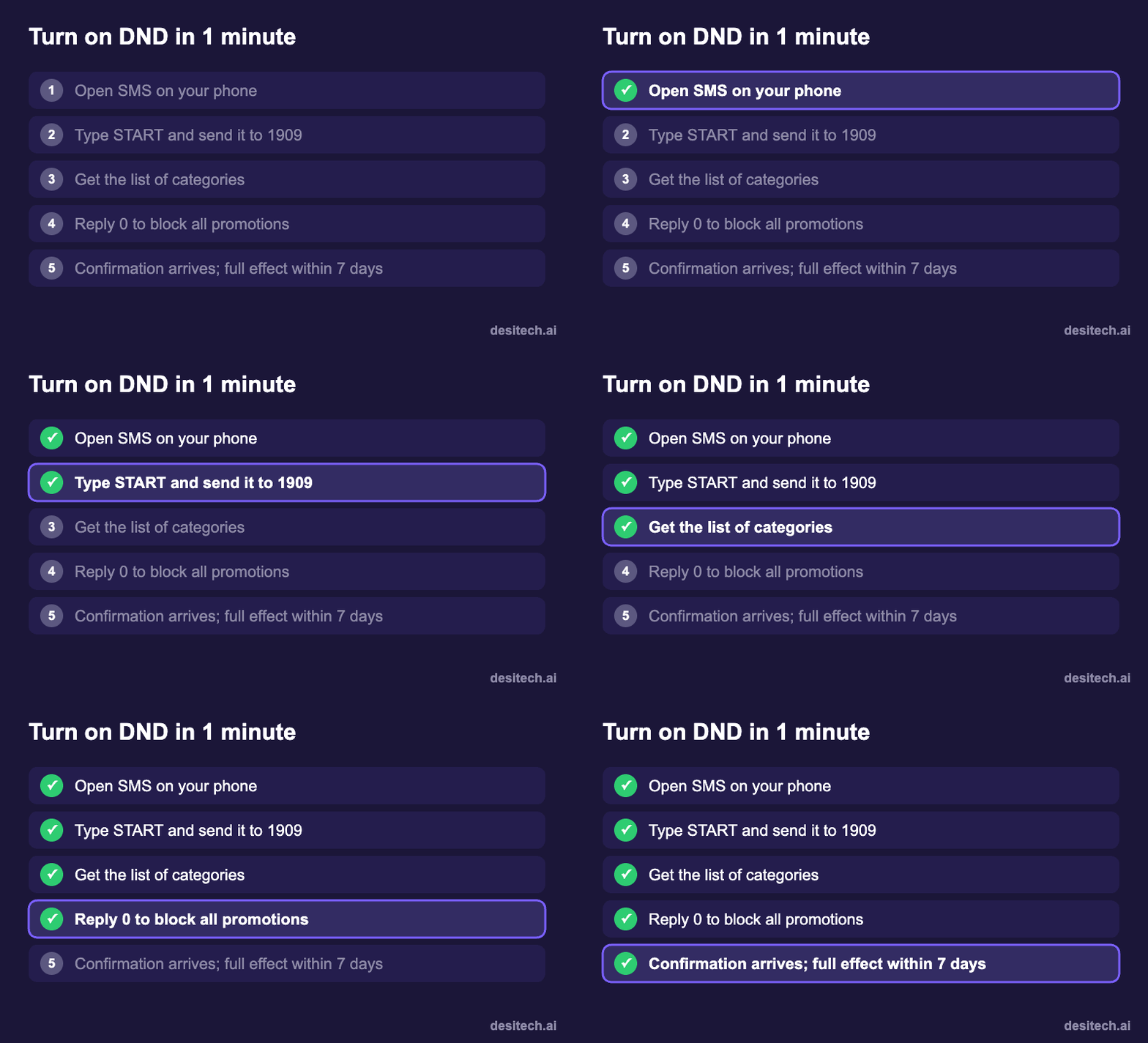
Option A: SMS to 1909 (works on any phone)
- Open your messaging app and send START 0 to 1909 to block all promotional categories.
- Or send just START to get a list of categories, such as banking, real estate, education and health, and reply with the codes you want to block.
- You’ll get a confirmation SMS. DND can take up to 7 days to fully take effect.
You can also call 1909 and follow the voice menu.
Option B: The TRAI DND app
Download the official TRAI DND app from the Play Store or App Store. It lets you set preferences, see your current DND status and, most usefully, report spam calls and SMS in a couple of taps. TRAI says the app accounted for about 89% of all spam complaints in early 2026, so it’s clearly the easiest route.
Option C: Your operator’s app
- Jio: MyJio app → Settings → Service settings → Do not disturb.
- Airtel: Airtel Thanks app → Settings or Services → Do Not Disturb, or airtel.in/airtel-dnd.
- Vi: Vi app → menu → DND, or myvi.in/dnd.
- BSNL: SMS START DND to 1909 or use BSNL’s DND page.
Menu names change with app updates, so if you can’t find it, search for “DND” inside the app.
Step 2: Learn the 140 and 1600 Number Rules
TRAI has split business calls into dedicated number series, and knowing them saves you a lot of guesswork:

- 140-series numbers are for promotional calls, meaning telemarketing and sales. These are exactly what DND blocks.
- 1600-series numbers are reserved for service and transactional calls from banks, financial institutions, insurers and government bodies, for example about your account, a payment or a policy. TRAI has said these calls can’t be blocked by apps, because they may carry information you need.
There’s a useful safety tip here. If someone claims to be calling from your bank about a “blocked account” or “KYC update” from an ordinary 10-digit mobile number, treat it as suspicious. Don’t share anything, and call the bank back on the number printed on your card or passbook.
Step 3: Switch On Your Phone’s Spam Protection
DND only covers registered telemarketers. Fraudsters and unregistered callers ignore it, so add a second layer on your phone:
- Android (Google Phone app): Phone app → three dots → Settings → Caller ID & spam → turn on Filter spam calls. Suspected spam goes straight to your call log without ringing.
- Samsung: Phone app → Settings → Caller ID and spam protection, and choose to block spam and scam calls.
- iPhone: Settings → Apps → Phone → Silence Unknown Callers (on older iOS: Settings → Phone). Calls from numbers not in your contacts go to voicemail and appear in your recents.
- WhatsApp: Settings → Privacy → Calls → Silence unknown callers.
Your operator also filters calls at the network level. Airtel, Jio and Vi use AI systems that label suspicious calls as “Suspected Spam” on your screen, at no cost and with nothing to install. Since September 2026, TRAI rules also require operators to act on AI-flagged spammers even before anyone files a complaint.
Step 4: Report the Spam That Still Gets Through
Every report helps operators trace and disconnect repeat spammers. TRAI’s rules say complaints should be made within a few days of the call, so do it promptly.
- TRAI DND app: open the app, pick the call or SMS from your recent list and tap Report. This is the fastest method.
- SMS to 1909: send the spam sender’s number with the date and a short description.
- Fraud attempts (fake KYC, digital arrest threats, “your parcel is held”): report them on Chakshu at sancharsaathi.gov.in, not just DND. If you’ve lost money, call 1930 immediately.
| Type of call | Best way to stop it |
|---|---|
| Loan, credit card or insurance sales (140 numbers) | Turn on DND (1909 or the TRAI DND app) |
| Telemarketing from ordinary mobile numbers | Report through the TRAI DND app; block the number |
| Robocalls and repeated unknown numbers | Phone spam filter or Silence Unknown Callers |
| Fraud: fake bank, KYC, police or courier calls | Hang up and report on Chakshu (Sanchar Saathi) |
| Money already lost | Call 1930 and file at cybercrime.gov.in |
Why You Might Still Get Spam After DND
- It’s within 7 days of registering. Give it a week.
- You gave consent somewhere. Signing up on a website or app, or ticking a box in a store, can count as consent for that business. Check your consent settings in the operator’s app or the TRAI DND app and revoke what you don’t want.
- The caller isn’t a registered telemarketer. Fraudsters don’t follow DND. Use your phone’s spam filter and report them.
- It’s a 1600 service call. These aren’t promotional and can’t be blocked, but they shouldn’t be selling you anything. If they are, report it.
Spam Calls FAQ
Is DND free?
Yes. Registering, changing preferences and filing complaints are all free.
Will DND block calls from my bank?
No. DND blocks promotional calls. Service and transactional calls from banks and other regulated organisations, which use the 1600 series, still come through.
Will DND stop OTP messages?
No. OTPs and transaction alerts are not promotional, so they’re not affected.
How do I check if DND is active?
Check your status in the TRAI DND app or your operator’s app. You can also contact 1909.
Can Truecaller block 140 and 1600 calls?
Under TRAI’s rules, call-management apps aren’t allowed to tag, block or filter calls from these designated number series. Use DND for 140 promotional calls.
The Bottom Line
You won’t get to zero spam calls, but you can get close. Turn on DND today, switch on your phone’s spam filter, and spend ten seconds reporting the ones that slip through. Then teach your parents the 140 versus 1600 rule. It’s one of the simplest ways to spot a fake “bank” call.
Sources
- TRAI press releases on spam (UCC) statistics and on the 140 and 1600 number series (July and August 2026).
- TRAI’s amended framework on AI-based spam detection (September 2026), as reported by Moneylife and Free Press Journal.
- Department of Telecommunications guidance on DND registration and complaints via the TRAI DND app, operator apps and 1909.
