
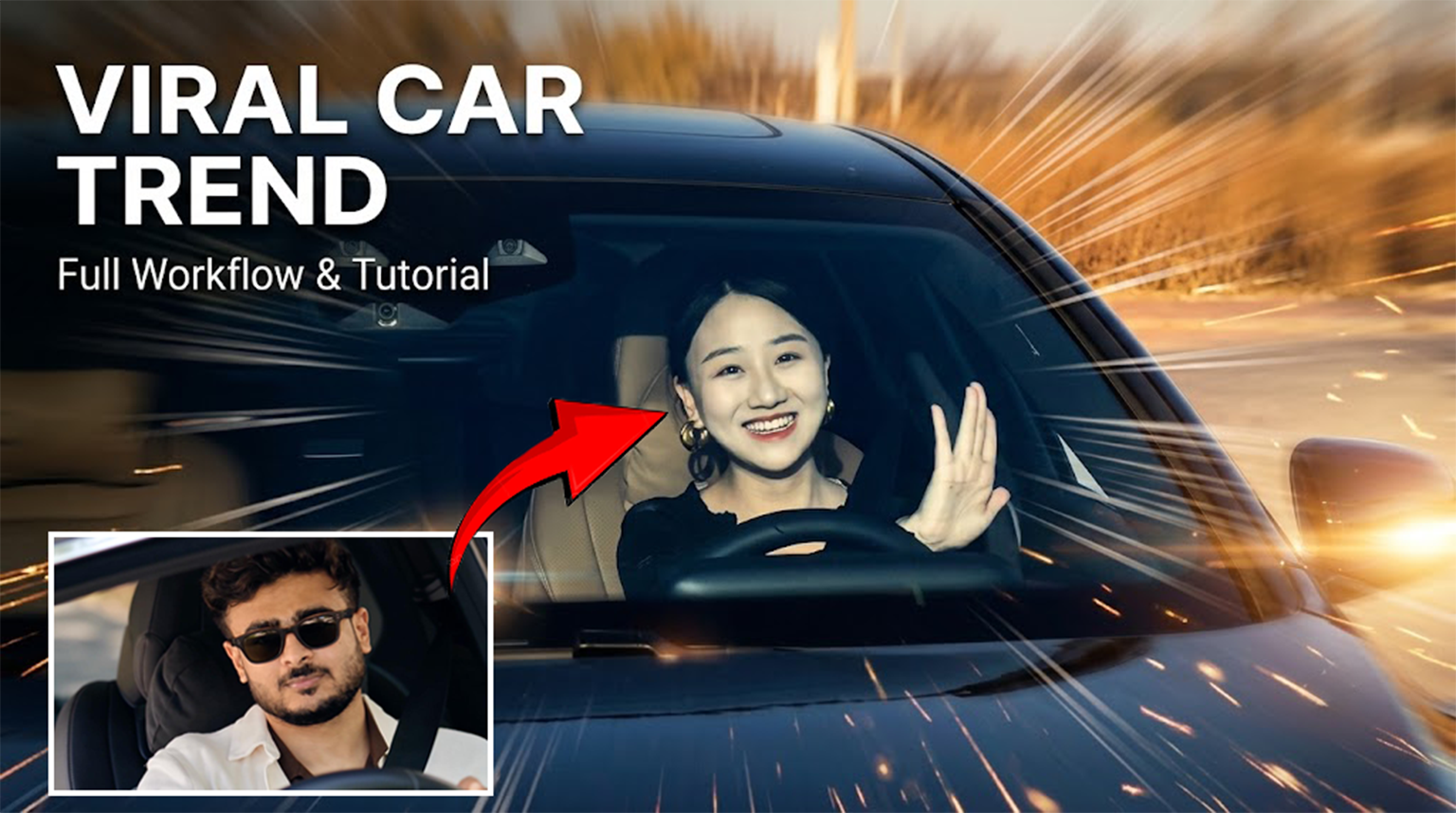
How to Create the Viral Car Trend AI Video Using Google Flow & Higgsfield
If you’ve been seeing the viral Mercedes car trend all over Instagram and wondering how creators are making these cinematic AI videos, you can actually create your own version using AI.
In this tutorial, I’ll show you two methods to create the trend:
- Google Flow — using your face image and the reference video
- Higgsfield Genjutsu — using your face, outfit and reference video
⭐ I Personally Recommend Higgsfield
While you can create this trend using both methods, I personally recommend Higgsfield for this particular video.
I use Higgsfield Genjutsu to create these videos because it lets you use your own face and outfit while transferring the motion, camera movement and performance from the reference video.
And there’s some good news — you can currently claim 1 free video generation on Higgsfield if the free offer is available on your account.
So you can actually try creating this viral car trend for free before spending any money.
👉 Claim Your 1 Free Higgsfield Video
If you want to try both methods, start with Google Flow and then try Higgsfield. But if you ask me which one I would use, I’d go with Higgsfield for this trend..
What You Need
Before starting, keep these things ready:
- 👤 A clear photo of your face
- 🎬 The viral car reference video
- 👕 An image of the outfit you want to use
- 🤖 Google Flow or Higgsfield
Tip: Use a clear, high-quality face image. Avoid heavily filtered photos because they can make it harder for AI models to maintain your actual appearance.
Step 1: Create Your Character Sheet
If you plan to create more AI content in the future, I recommend creating a character sheet first.
A character sheet helps AI maintain the same facial features, hairstyle, outfit and overall appearance across different generations.

Upload Your Face
Start with a clear photo of yourself.
Make sure:
- Your face is clearly visible
- The image isn’t heavily edited
- Your facial features aren’t covered
- You use a good-quality image
Add Your Outfit & Accessories
You can also provide reference images for the look you want.
For example:
- 🕶️ Sunglasses
- 📱 iPhone
- ☕ Coffee cup
- 👕 Outfit of your choice
These references help create a consistent visual identity for your AI character.
Generate Your Character Sheet
Ask your AI image generator to create a multi-angle character reference sheet while keeping your facial identity consistent.
Ideally, your character sheet should include:
- Front view
- 3/4 view
- Side profile
- Full-body view
- Different facial expressions
- Outfit details
Once you have your character sheet, save it.
You can reuse the same character sheet for future AI trends instead of starting from scratch every time.
Method 1: Create the Viral Car Video With Google Flow
The first method is Google Flow.
The good thing about this method is that you don’t need the character sheet.
You can simply use:
Your Face Image + The Viral Car Video
Flow will use your face as the character reference and the uploaded video as the motion and style reference.
Step 1: Open Google FlowStep 1: Open Google Flow
Open Google Flow and start a new video generation.
1. Upload Your Face Image
Upload a clear, high-quality photo of yourself.
This will be used as the character reference, so make sure your face is clearly visible and not heavily filtered.
2. Upload Your Reference Video
Now upload the viral car video you want to recreate.
The video will be used as the reference for:
- 🎥 Camera movement
- 🕺 Body movement
- 🎭 Performance
- ⏱️ Timing
- 🎬 Overall visual dynamics
Once you’ve uploaded both your face image and the reference video, you’re ready for the next step — adding the prompt and generating your video.
Step 2: Paste This Prompt
After uploading your face image and reference video, paste this prompt:
Generate a motion-controlled video using the uploaded image as the character reference and the uploaded video as the style and motion reference.
Preserve the character’s exact identity, appearance, and key visual details while accurately replicating the reference video’s motion, style, camera movement, and overall visual dynamics.
Now generate the video.
That’s it!
You don’t need to create a separate character sheet for this method.
Face Image = Character Reference
Reference Video = Motion + Style Reference
Method 2: Create the Viral Car Trend Using Higgsfield Genjutsu
For better control over the character, outfit and motion, I personally use Higgsfield Genjutsu to create these videos.
Genjutsu is specifically designed for transforming existing videos while keeping the original motion, camera movement and timing. You can provide your own character, outfit or other visual references and use them to recreate the video.
🎁 Claim 1 Free Video
Good news! You can currently claim 1 free Genjutsu video if the free-generation offer is available on your Higgsfield account.
So you can actually try this viral car trend without paying for your first generation.
👉 Claim Your Free Higgsfield Genjutsu Video
Step 1: Open Higgsfield Genjutsu
Open Higgsfield Genjutsu from the link below:
Once you’re inside, choose the Motion Transfer workflow.
Genjutsu’s Motion Transfer keeps the movement and camera from your reference video while rebuilding the scene using your uploaded references.
Step 2: Upload Your Instagram Video
Upload the viral car video you want to recreate.
This video will be used as your motion, performance, camera and timing reference.
For this trend, the reference video is extremely important because we want the AI to follow the original:
- 🎥 Camera movement
- 🕺 Body movement
- 🎭 Performance
- ⏱️ Timing
- 🎬 Overall choreography
Step 3: Upload Your Face & Clothes Images
Now upload your visual references.
Image 1 — Your Face
Upload a clear, high-quality photo of yourself.
This will be used as the character identity reference.
Image 2 — Your Clothes
Upload an image showing the outfit you want your character to wear.
For example:
- White blazer
- Dark brown shirt
- Black sunglasses
- Your preferred hairstyle
You can also use your character sheet here if you already created one.
Step 3: Paste This Prompt
Now copy and paste the prompt below:
Use video as the exact motion, performance, camera and timing reference.
Use @image1 and @image2 as the ONLY character identity and outfit references. Preserve the character’s exact facial identity from these images throughout the entire video: same face shape, forehead, eyebrows, eyes, nose, lips, jawline, beard shape, skin tone, hairline and hairstyle. Do NOT reinterpret, redesign, beautify, sharpen or alter the face. The character must look like the exact same person from @image1 in every frame.
The character wears the exact white blazer, dark brown shirt, black sunglasses and hairstyle shown in the character references @image2. Preserve the outfit accurately.
Recreate the performance in video with the same framing, camera perspective, head movements, gestures, body movement, timing and overall choreography.
IMPORTANT FACIAL PERFORMANCE: Keep the expression COOL, CONFIDENT and NATURAL.
No big smile, no exaggerated grin, no teeth showing, no laughing, no goofy expression.
Maintain a subtle relaxed expression with a slight confident smirk only when naturally present in video1. Keep the mouth movements restrained and realistic.
Maintain exact facial proportions during every head movement. No face warping, no identity drift, no changing jawline, no changing nose, no changing eyes, no changing beard, no facial deformation.
Natural realistic lip-sync and subtle facial movement. Accurate eye direction and natural blinking. Realistic hand and body movement.
Preserve the exact rhythm and timing of @video1.
Photorealistic cinematic footage, natural skin texture, realistic hair physics, realistic sunglasses reflections, authentic lighting and shadows. The result should look like the same original video was filmed with this exact character.
No morphing, no face distortion, no exaggerated expressions, no smile exaggeration, no teeth exposure, no identity change, no hairstyle change, no outfit change, no unnecessary camera movement, no cuts.
Step 4: Choose the Free Generation
Before generating, check whether Free Generation is available on your account.
If you see the free-generation option, select it and claim your 1 free Genjutsu video.
The available free generation and credit requirements can vary, so always check what Higgsfield shows before clicking Generate.
Step 5: Generate Your Video
Now click Generate and wait for Higgsfield to process your video.
Genjutsu is designed to preserve the original video’s motion and camera while applying your character and other references to the new result.
Once it’s finished, preview the result and download your video.
And that’s it — you’ve created the viral car trend using your own face and the original video’s motion.
My Recommendation
Personally, I use Higgsfield Genjutsu for generating these videos because I prefer the amount of control it gives me over the character and the original video’s motion.
If you want to try it yourself, you can use my link below:
👉 Try Higgsfield Genjutsu & Claim Your Free Video
Google Flow vs Higgsfield
Both methods can create the viral car trend, but the workflow is slightly different.
| Google Flow | Higgsfield | |
|---|---|---|
| Face Reference | ✅ | ✅ |
| Video Reference | ✅ | ✅ |
| Clothes Reference | Not required | Optional |
| Character Sheet | Not required | Optional |
| Motion Reference | ✅ | ✅ |
| Outfit Control | Basic | More detailed |
Want the simplest method?
Try Google Flow first.
You only need your face image + reference video, making it a quick and simple way to recreate the trend.
Want More Control?
Try Higgsfield with your face image + clothes image + reference video.
Personally, I use Higgsfield to generate these videos because I find it gives me more control over the character’s appearance, outfit and overall video result.
So if you want to experiment with both methods, start with Google Flow and then try Higgsfield to see which result works better for you.
Final Result
And that’s it! 🎬
You can now recreate the viral AI car trend using your own face and the reference video.
The complete workflow is:
Your Face → Reference Video → Upload → Paste Prompt → Generate → Download
And once you’ve created your character sheet, don’t delete it.
You can reuse the same character reference for future AI image and video trends, so you don’t have to build your character from scratch every time.
If you try this trend, tag me and show me what you created! ❤️

Video
Car
Car wali video acchi Si Create an ultra-realistic cinematic video of the same young man sitting naturally in the driver’s seat of a black luxury Mercedes car. Keep his face exactly consistent with the reference photo, including facial features, hairstyle, skin tone and light beard. He looks naturally toward the side, smiles slightly, then looks forward while keeping one hand naturally on the steering wheel. Realistic human movement, natural blinking, subtle head movement and breathing. Show authentic car interior, steering wheel and dashboard. Camera slowly moves from a close front windshield view toward a slightly closer side angle. Realistic windshield reflections and tinted glass, natural daylight, accurate shadows, realistic skin texture, shallow depth of field, cinematic color grading, 4K, highly photorealistic, no face distortion, no extra fingers, no warped hands, no artificial-looking face. Match the reference video’s camera movement, framing, lighting, pacing and natural facial expressions. Make it look like a real camera-recorded video, not Al-generated.Create an ultra-realistic cinematic video of the same young man sitting naturally in the driver’s seat of a black luxury Mercedes car. Keep his face exactly consistent with the reference photo, including facial features, hairstyle, skin tone and light beard. He looks naturally toward the side, smiles slightly, then looks forward while keeping one hand naturally on the steering wheel. Realistic human movement, natural blinking, subtle head movement and breathing. Show authentic car interior, steering wheel and dashboard. Camera slowly moves from a close front windshield view toward a slightly closer side angle. Realistic windshield reflections and tinted glass, natural daylight, accurate shadows, realistic skin texture, shallow depth of field, cinematic color grading, 4K, highly photorealistic, no face distortion, no extra fingers, no warped hands, no artificial-looking face. Match the reference video’s camera movement, framing, lighting, pacing and natural facial expressions. Make it look like a real camera-recorded video, not Al-generated.
Car wali video acchi Si Create an ultra-realistic cinematic video of the same young man sitting naturally in the driver’s seat of a black luxury Mercedes car. Keep his face exactly consistent with the reference photo, including facial features, hairstyle, skin tone and light beard. He looks naturally toward the side, smiles slightly, then looks forward while keeping one hand naturally on the steering wheel. Realistic human movement, natural blinking, subtle head movement and breathing. Show authentic car interior, steering wheel and dashboard. Camera slowly moves from a close front windshield view toward a slightly closer side angle. Realistic windshield reflections and tinted glass, natural daylight, accurate shadows, realistic skin texture, shallow depth of field, cinematic color grading, 4K, highly photorealistic, no face distortion, no extra fingers, no warped hands, no artificial-looking face. Match the reference video’s camera movement, framing, lighting, pacing and natural facial expressions. Make it look like a real camera-recorded video, not Al-generated.Create an ultra-realistic cinematic video of the same young man sitting naturally in the driver’s seat of a black luxury Mercedes car. Keep his face exactly consistent with the reference photo, including facial features, hairstyle, skin tone and light beard. He looks naturally toward the side, smiles slightly, then looks forward while keeping one hand naturally on the steering wheel. Realistic human movement, natural blinking, subtle head movement and breathing. Show authentic car interior, steering wheel and dashboard. Camera slowly moves from a close front windshield view toward a slightly closer side angle. Realistic windshield reflections and tinted glass, natural daylight, accurate shadows, realistic skin texture, shallow depth of field, cinematic color grading, 4K, highly photorealistic, no face distortion, no extra fingers, no warped hands, no artificial-looking face. Match the reference video’s camera movement, framing, lighting, pacing and natural facial expressions. Make it look like a real camera-recorded video, not Al-generated
Create an ultra-realistic cinematic video of the same young man sitting naturally in the driver’s seat of a black luxury Mercedes car. Keep his face exactly consistent with the reference photo, including facial features, hairstyle, skin tone and light beard. He looks naturally toward the side, smiles slightly, then looks forward while keeping one hand naturally on the steering wheel. Realistic human movement, natural blinking, subtle head movement and breathing. Show authentic car interior, steering wheel and dashboard. Camera slowly moves from a close front windshield view toward a slightly closer side angle. Realistic windshield reflections and tinted glass, natural daylight, accurate shadows, realistic skin texture, shallow depth of field, cinematic color grading, 4K, highly photorealistic, no face distortion, no extra fingers, no warped hands, no artificial-looking face. Match the reference video’s camera movement, framing, lighting, pacing and natural facial expressions. Make it look like a real camera-recorded video, not Al-generated.Create an ultra-realistic cinematic video of the same young man sitting naturally in the driver’s seat of a black luxury Mercedes car. Keep his face exactly consistent with the reference photo, including facial features, hairstyle, skin tone and light beard. He looks naturally toward the side, smiles slightly, then looks forward while keeping one hand naturally on the steering wheel. Realistic human movement, natural blinking, subtle head movement and breathing. Show authentic car interior, steering wheel and dashboard. Camera slowly moves from a close front windshield view toward a slightly closer side angle. Realistic windshield reflections and tinted glass, natural daylight, accurate shadows, realistic skin texture, shallow depth of field, cinematic color grading, 4K, highly photorealistic, no face distortion, no extra fingers, no warped hands, no artificial-looking face. Match the reference video’s camera movement, framing, lighting, pacing and natural facial expressions. Make it look like a real camera-recorded video, not Al-generated.
Car vala video adit
Babu
Hi there! Appreciate your comment 🙌
As promised, here’s the LINK for you ⬇️
https://desitech.ai/how-to-create-the-viral-car-trend-ai-video-using-google-flow-higgsfield/
Sjdhmdhfbfkdjdbdnjdjdbdnfmncbfmf
How to Create the Viral Car Trend AI Video Using Google Flow & Higgsfield