
How to Lock Your Aadhaar Biometrics and Stop AePS Fingerprint Fraud
Quick answer: Go to myaadhaar.uidai.gov.in, log in with your Aadhaar number and the OTP sent to your registered mobile, open Lock/Unlock Biometrics, tick the consent box and lock. Once locked, nobody can use your fingerprint, iris or face for Aadhaar authentication, which blocks AePS cash-withdrawal fraud. When you need biometrics yourself, unlock them temporarily and they re-lock automatically after a few minutes.
Most bank frauds need something from you: an OTP, a PIN, a tap on a link. Aadhaar-enabled Payment System (AePS) fraud is different. It can empty a bank account without any call or message, using just an Aadhaar number and a cloned fingerprint.
Police and cybercrime units across India have reported gangs making silicone fingerprint copies from leaked documents and land records, then withdrawing cash at AePS points in someone else’s name. The single most effective protection is free and takes five minutes: locking your Aadhaar biometrics.
What Does Locking Aadhaar Biometrics Do?
Your Aadhaar biometrics, meaning your fingerprints, iris scans and face data, are used to confirm your identity at banks, ration shops, SIM counters and AePS cash points. When you lock them through UIDAI:
- Any biometric authentication fails, even with a perfect fingerprint copy. The system returns an error (commonly Error 330, meaning biometrics are locked).
- OTP-based Aadhaar authentication still works, so you can use Aadhaar for most online services as usual.
- You stay in control: you can unlock temporarily whenever you need your fingerprint, and it re-locks on its own.
How to Lock Aadhaar Biometrics Online
You need your Aadhaar number and access to the mobile number registered with Aadhaar for the OTP.
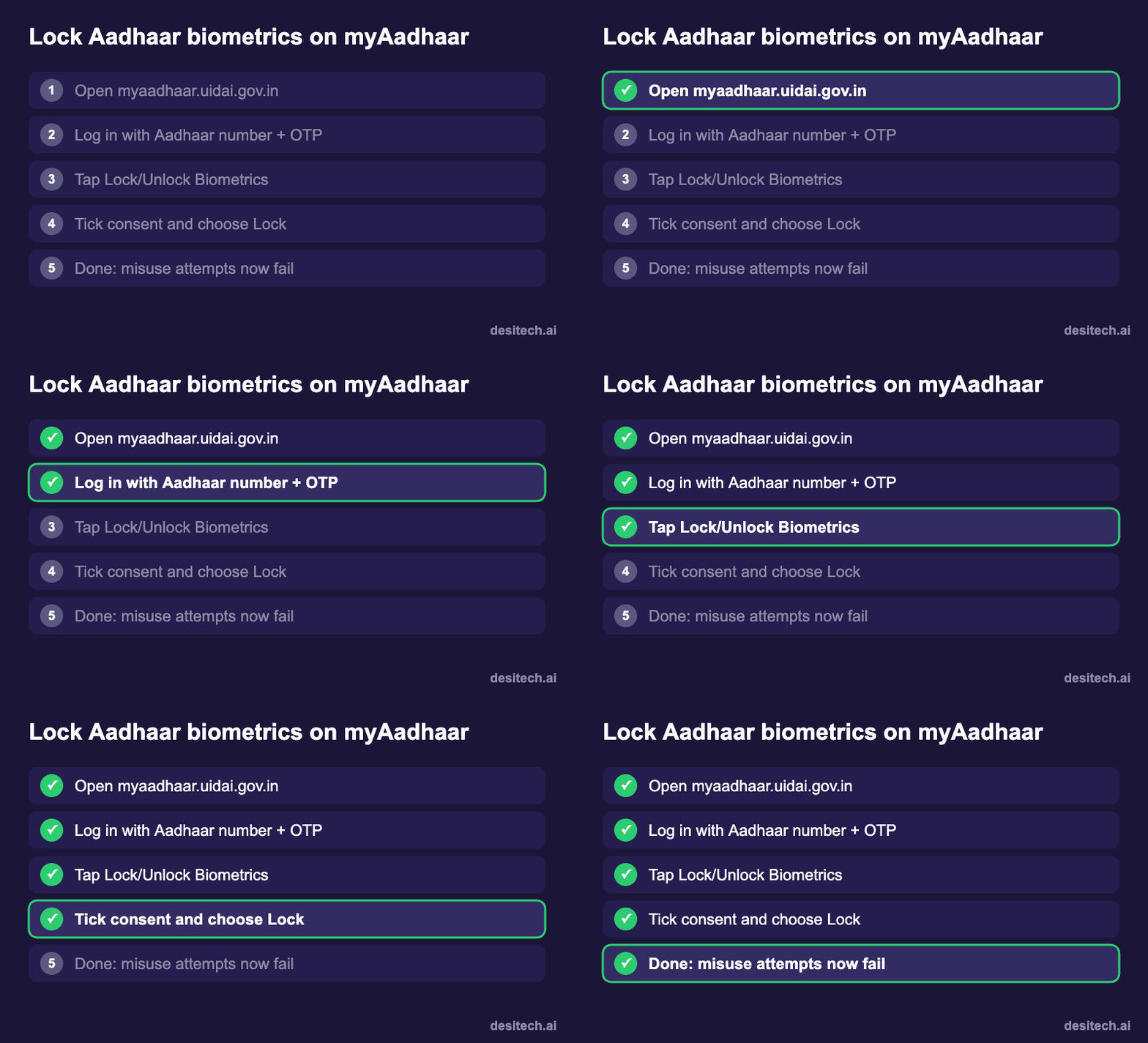
On the myAadhaar website
- Go to myaadhaar.uidai.gov.in (the official UIDAI portal).
- Log in with your Aadhaar number, the captcha and the OTP sent to your registered mobile.
- Open Lock/Unlock Biometrics from the services list.
- Read the note, tick the consent box and choose Lock (or Enable Biometric Lock).
- You’ll see a confirmation. It can take a short time to apply everywhere.
In the Aadhaar app
UIDAI’s official app, the new Aadhaar app or the older mAadhaar app depending on your phone, also has the option. Open your profile, find Biometric settings or Lock/Unlock Biometrics, and confirm with the OTP. The app is handy because you’ll use it again whenever you need a quick unlock.
How to Unlock When You Need Your Fingerprint
For a bank KYC, a new SIM, a ration shop or an AePS withdrawal you’re making yourself:
- Open myAadhaar or the Aadhaar app and go to Lock/Unlock Biometrics.
- Choose Unlock (temporary unlock) and confirm with the OTP.
- Complete your fingerprint or iris authentication within the next few minutes.
- Your biometrics lock again automatically after the short unlock window, usually about 10 minutes.
There’s also an option to disable the lock permanently, but for most people the temporary unlock is the safer choice.
Check Whether Your Aadhaar Has Been Used
On myAadhaar, open Authentication History to see when and how your Aadhaar was used for authentication, whether by biometric, OTP or demographic check, and by which type of agency. If you see entries you don’t recognise, especially biometric ones, lock your biometrics immediately and contact your bank.
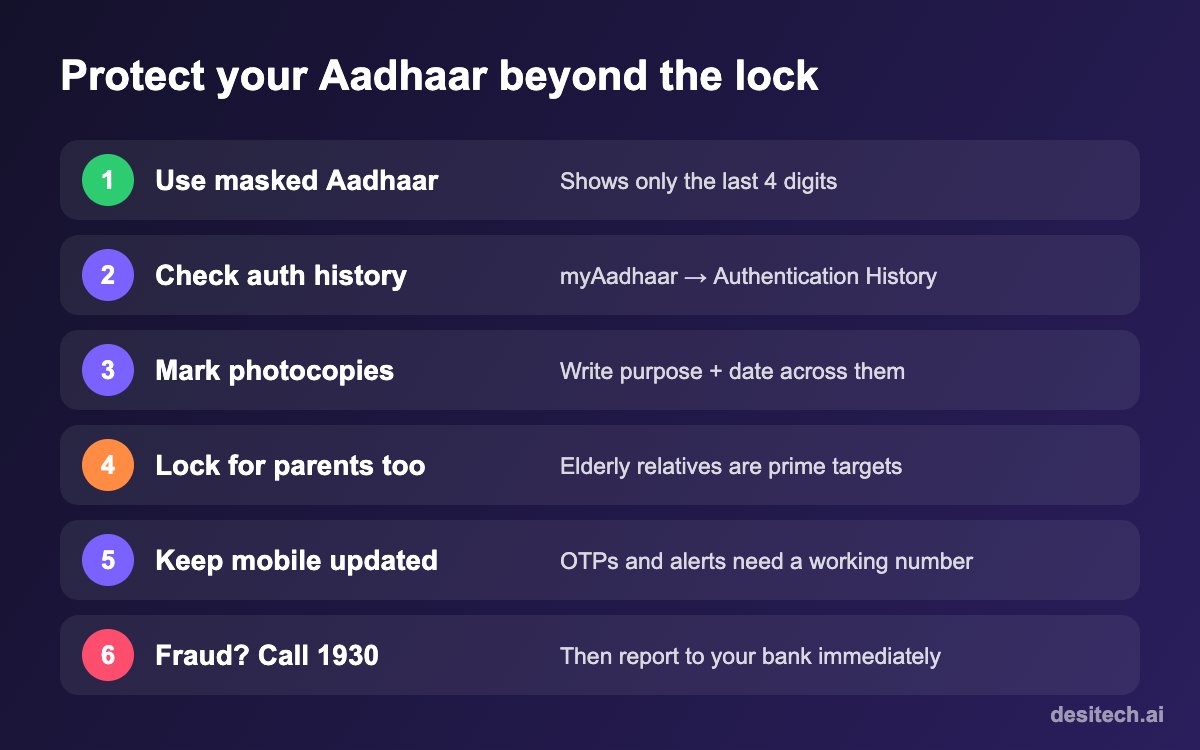
Other Ways to Protect Your Aadhaar
- Use masked Aadhaar when sharing a copy. When downloading e-Aadhaar from UIDAI, choose the masked version, which shows only the last four digits.
- Mark every photocopy with the purpose and date, such as “For SIM verification only, 20/11/2026”, written across it.
- Don’t keep Aadhaar photos in WhatsApp chats or your gallery. Use DigiLocker or the official app instead.
- Keep your Aadhaar mobile number up to date. Without it you can’t receive OTPs to lock or unlock. Updating it needs a visit to an Aadhaar centre.
- Lock biometrics for elderly parents, who are often targeted because they rarely check bank statements. You can help them do it with their phone and OTP.
Banks are tightening AePS too
The Reserve Bank of India introduced stricter due-diligence rules for AePS operators from 1 January 2026, including closer monitoring of unusual transactions. That helps, but it doesn’t stop a cloned fingerprint from matching. The lock does.
If Money Has Already Been Withdrawn
- Call 1930 immediately and file at cybercrime.gov.in.
- Call your bank, report an unauthorised AePS transaction, and ask them to block AePS on your account if possible.
- Lock your Aadhaar biometrics right away to stop further withdrawals.
- Save your bank statement showing the AePS debit, and your Aadhaar authentication history.
Because you didn’t authorise the transaction, reporting it to your bank within three working days matters for RBI’s customer-protection rules on unauthorised electronic transactions.
Aadhaar Biometric Lock FAQ
Is locking Aadhaar biometrics free?
Yes. Locking and unlocking through the myAadhaar portal or the official app is free.
Will my Aadhaar stop working if I lock biometrics?
No. Only biometric authentication is blocked. OTP-based Aadhaar verification and showing your Aadhaar as ID still work.
What is Error 330?
It’s the error shown when someone tries biometric authentication on an Aadhaar with locked biometrics. If you see it at a counter, unlock temporarily and try again.
Do I need my registered mobile number?
Yes. Locking and unlocking online use an OTP sent to the mobile number linked to your Aadhaar.
Should I lock biometrics if I use AePS for subsidies?
Yes. Keep them locked and unlock only when you’re at the counter. It takes a minute and protects the rest of the time.
The Bottom Line
Locking your Aadhaar biometrics is one of the highest-value five minutes you can spend on your digital safety. It’s free, reversible and blocks a type of fraud that needs no call or OTP. Lock yours today, then help your parents do theirs.
Sources
- UIDAI myAadhaar portal: Lock/Unlock Biometrics and Authentication History.
- Reserve Bank of India direction on due diligence of AePS touchpoint operators (effective 1 January 2026).
- Police and cybercrime advisories on AePS fingerprint cloning fraud, including Gujarat Police Cyber Centre of Excellence and Karnataka CID.
