
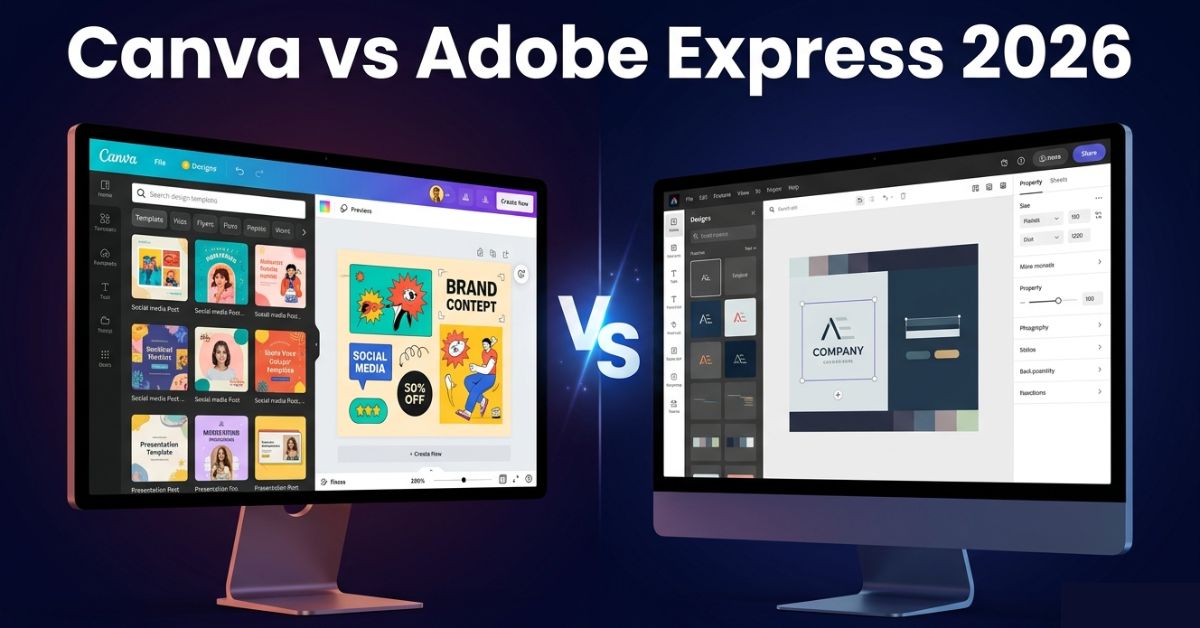
Canva vs Adobe Express: Which Free Design Tool Is Better in 2026?
Most Canva vs Adobe Express articles were written by someone who spent forty-five minutes with both tools. And then produced a feature checklist. Those ones is written from the perspective that the checklist comparison is exactly what makes most of these articles useless. Because more features is not the same as better tool. The user who most needs this comparison is not the one who can evaluate a feature list accurately. They are the one who downloaded both apps and also found them confusing for different reasons and is trying to figure out which one to actually use.
This guide gives that person a direct, honest answer.
Why the Feature Checklist Gets This Wrong Every Time
Canva wins almost every feature count comparison with Adobe Express. And that result published repeatedly across the internet has created a widespread impression. That Adobe Express is a lesser product that only makes sense if you are already paying for the Adobe ecosystem. Neither part of that impression is accurate and both parts lead people to the wrong tool for their actual work.
Adobe Express is not a cheaper or simpler version of Canva. It is a tool built on a completely different assumption about who is using it whereas Canva’s core assumption is that you have no design background. And you want the fastest path from intention to finished result. With the tool making as many decisions for you as possible. Adobe Express’s core assumption is that you have some design instinct. And you want a lightweight environment. Where that instinct can work cleanly, without being steered by templates and suggestions at every step.
These are not competing quality levels. They are competing philosophies. A user who matches Canva’s assumption will be frustrated by Express’s relative restraint. A user who matches Express’s assumption will be frustrated by Canva’s interface. Which was not built for them and shows it in small ways that compound over time. The entire comparison collapses to one question: which assumption describes you?
What the Free Tier Is Actually Like to Use
The free tier is where most users live and it is where the two tools diverge most noticeably in practice rather than on paper.
Canva’s free tier is generous by any reasonable standard. You get access to a template library that is genuinely enormous, a functional asset library, background removal with a monthly use limit, limited quantities of the Magic Studio AI tools and clean watermark-free exports. For someone producing casual social media content, school projects or personal creative work, the free tier handles all of it without significant friction.
The friction appears when you develop preferences. The moment you find a font you want to use consistently, there is a reasonable chance it is behind Canva Pro. When you find a template that fits your brand precisely, there is a reasonable chance it has the crown icon and the moment you want to resize a design from an Instagram square to a landscape Facebook post in one click, that is a Pro feature.
Canva’s free tier is not a limited version of the tool. It is a deliberate demonstration of the tool, designed to let you get comfortable enough that the Pro features feel worth paying for. That is a coherent business model and the tool is still genuinely useful at the free level but understanding the design intent behind the limits changes how you experience them.
Adobe Express’s free tier operates differently. Every template in the library is available without a paywall. Every typeface in Adobe Fonts, a library of thousands of professionally designed type families, is available on the free tier without restriction. Adobe Firefly’s generative AI tools are integrated at the free level. Background removal is unlimited. These are not partial versions of paid features. They are the full thing, available for free.
The trade-off is scope rather than access and Express does fewer things than Canva. The template library is smaller and the AI tool suite is narrower too. Video editing in Express is limited in a way that Canva’s video tools are not. You get full access to a smaller tool rather than partial access to a larger one. Whether that trade-off works depends entirely on whether what Express does covers what you actually need.
For editing photos themselves rather than designing around them, free AI photo editing apps are built specifically for that and handle things Canva is not designed to do.
The Interface Experience in Honest Terms
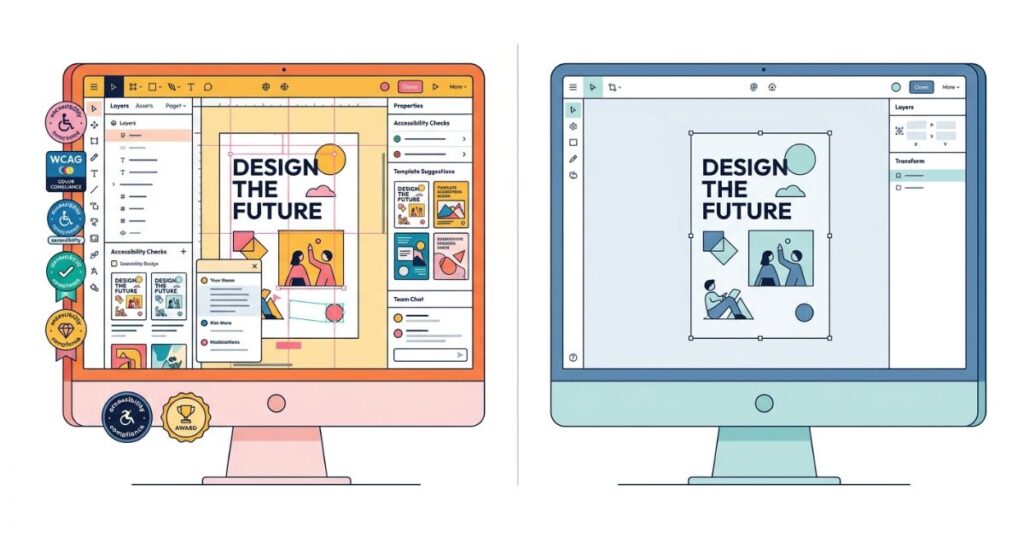
Canva’s interface is one of the most deliberately accessible creative tools ever built and that accessibility is both its greatest strength also it’s most consistent frustration for experienced users.
For someone who has never used design software before, Canva is extraordinary as you can open it, choose a format and a relevant template appears. Then you click the text, change it. Drag an image into a placeholder. The alignment guides show you when things are centered. And lastly, you download. All the entire process is legible on a first attempt in a way that InDesign, Figma, or Illustrator never are. This accessibility is genuinely valuable and it is not something to dismiss as “dumbed down.” Building a tool that novices can use effectively is harder than building one that experts can use powerfully.
For someone who has developed design preferences, the interface shows its accommodations more visibly. The sidebar suggestions feel like suggestions rather than controls. Finding the specific opacity or spacing or alignment setting you want requires navigating menus that were organised for discovery rather than speed. The constant visibility of premium features, the crown icons appearing on templates you hover over, creates a mild but persistent awareness that the tool wants you to upgrade. None of this breaks the experience. It just makes the experience feel slightly like shopping rather than creating.
Adobe Express is quieter in a way that becomes noticeable after spending time in Canva. Fewer things are competing for attention on screen. The interface does not try to suggest what you might want to do next. It waits for you to decide and then executes it. If you are used to working with creative tools and you find Canva slightly too much, Express’s restraint feels like relief. If you are a beginner and you find Canva’s guidance helpful, Express can feel slightly under-signposted.
The InDesign comparison is worth making explicitly because it is the most accurate one. Express’s interface philosophy is closer to a simplified InDesign than it is to a simplified Canva. If that description sounds appealing, Express will suit you. If it sounds unnecessarily complicated, stay with Canva.
Templates: The Volume Problem Nobody Talks About
Canva’s template library is so large that the quality distribution within it is a more practically significant issue than most comparisons acknowledge.
When a library contains hundreds of thousands of templates, the full range of quality that represents is enormous. Some Canva templates are genuinely excellent. They would look at home in a professional agency context. Others look like they were produced quickly to fill a category, with stock imagery combinations that have become visually clichéd and color palettes that feel dated. The library contains both, in abundance, with no reliable quality signal beyond the number of people who have used the template. A popular template is not necessarily a good template. It is a template that matched what a lot of people searched for.
Finding the strong templates within the volume requires taste and time. Users who have developed design judgment can navigate this and extract real value from the breadth. Users who are relying on the template to set the quality standard will encounter significant variance in what they land on.
Adobe Express’s template library is smaller, more curated, and more consistently strong. The templates reflect Adobe’s design standards in a way that is visible: cleaner layouts, more thoughtful typography, fewer visual clichés. They do not cover every trend-driven social media format that Canva does. For creating a current aesthetic-forward TikTok thumbnail, Canva’s template library is more useful. For creating a business proposal cover, a professional event announcement, or a consistent brand asset, Express’s library is more reliably good.
The practical implication: if you are producing trend-sensitive social media content at volume, Canva’s library has more options that are relevant right now. If you are producing materials where looking professional is more important than looking current, Express’s library produces stronger starting points.
AI Tools: Where the Gap Is Real and Where It Is Not
Most comparisons of Canva’s Magic Studio and Adobe Express’s Firefly integration focus on the number of AI tools each offers, most importantly, this comparison consistently makes Canva look stronger. It is also largely irrelevant to the user decision that actually matters.
Canva’s Magic Studio is a broad suite, magic Write generates text. Magic Design generates layouts from prompts while Magic Edit manipulates images. Then Eraser removes objects. Magic Expand extends images beyond their original edges. In terms of number of things AI can do in Canva, the list is longer than Express.
The honest evaluation of these tools individually is more complicated. Magic Write produces functional text that is generic enough that you will rewrite most of it. Magic Design generates layout starting points that occasionally surprise you and frequently disappoint you. And Erase and Magic Expand are the strongest tools in the suite and genuinely earn their place. The breadth is real. The consistent quality across the breadth is not.
Adobe Firefly in Express does fewer things but the things it does are demonstrably better on the metric that matters most for creative use: image generation quality. Furthermore firefly produces AI images that are visually coherent, professionally usable, and commercially safe because Adobe trained it exclusively on licensed content and also explicitly guarantees commercial use rights for output. If you use AI-generated imagery in client work, marketing materials, or anything where a licensing dispute would be genuinely costly, Firefly’s commercial use guarantee is not a minor detail. It is a meaningful legal protection that Canva’s AI tools do not match with the same clarity.
For a content creator producing personal social media content who needs a broad set of AI assistance tools, Canva’s Magic Studio covers more ground. For anyone producing output for clients or commercial use who needs AI imagery they can stand behind legally, Firefly is the more defensible choice.
Typography: The Dimension Most People Ignore Until It Matters
Typography is not glamorous and it does not appear in most comparison articles at the same prominence as AI features or template counts. It is also the dimension that most consistently separates designs that look professional from designs that look like they were made quickly in a free tool.
Adobe Express free gives you Adobe Fonts. All of them. This is a library of thousands of typefaces developed by professional type designers and licensed clearly for commercial and personal use. It includes typefaces that working designers pay to access. It includes the fonts that appear in professional agency work, in high-quality brand identities, in design-forward publications. Having these available at the free tier in Express is one of the most genuinely surprising generosities in the consumer design tool market.
Canva’s free font library is good and includes a solid range of typefaces across categories. The problem is that the fonts design-literate users reach for are the ones with real character and professional pedigree, tend to be behind the Pro subscription. As a free user, you can find yourself constrained to the parts of the library that are less distinctive than you want. The contrast with Express’s full Adobe Fonts access is stark once you have experienced both.
For a user who does not have strong font preferences, this difference does not register. For a user who does, it is one of the most compelling reasons to use Express for any work where typography is a visible part of the design.
Collaboration: Canva Clearly Wins, If That Matters to You
This is the shortest section in the comparison because the answer is direct. If you work with other people on designs, Canva is the stronger choice at every tier, including free. Real-time collaboration, shared design libraries, team folders, and comment-and-review workflows are built into Canva’s architecture in a way that Adobe Express does not match.
If you work alone, this entire dimension is irrelevant and the rest of the comparison is what drives the decision. Most individuals using free creative tools are working alone. For them, the collaboration gap between Canva and Express has no practical consequence.
Canva Free vs Adobe Express Free in 2026
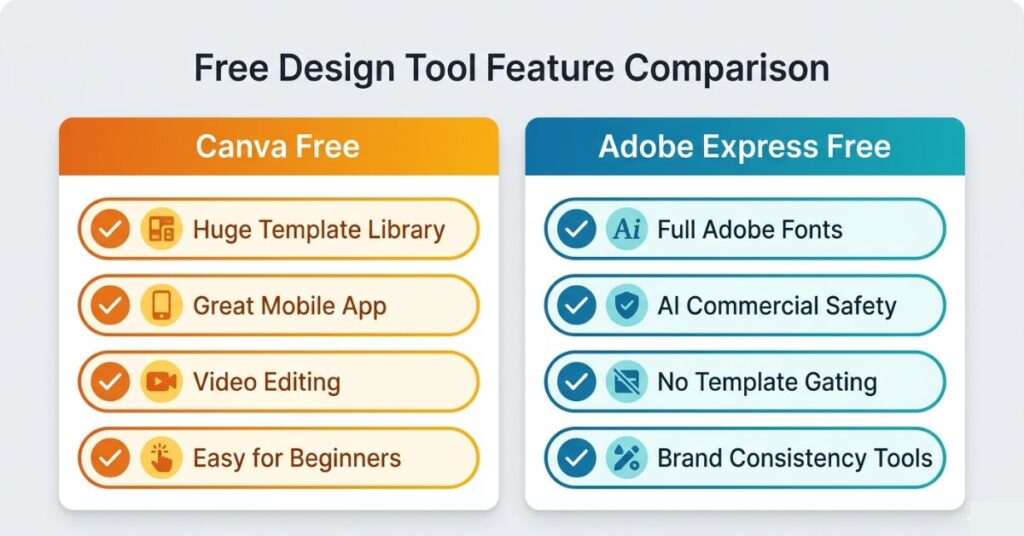
| Feature | Canva Free | Adobe Express Free |
|---|---|---|
| Template library size | Enormous, highly varied quality | Smaller, consistently curated |
| Premium template gating | Significant portion behind Pro | No gating, full access |
| Font library | Good range, best fonts gated | Full Adobe Fonts, unrestricted |
| AI image quality | Functional, variable | Firefly, consistently strong |
| AI commercial use safety | Varies by tool used | Adobe explicit guarantee |
| Background removal | Monthly use limit | Unlimited |
| Brand kit | Canva Pro only | Basic version on free tier |
| Real-time team collaboration | Basic on free, strong on Pro | Limited at all tiers |
| Mobile app | Excellent, near full features | Functional, limited vs web |
| Video editing | Yes, capable | Basic only |
| Learning curve | Very low | Low to moderate |
| Best overall for | Non-designers, social media volume | Design-literate, brand and commercial work |
What Actually Matters More Than the Tool You Choose
The output quality gap between a skilled user in Adobe Express and an unskilled user in Canva is actually larger than the output quality gap between Canva and Adobe Express at equivalent skill levels. In other words, the tool matters less than the skill brought to it, and that is consistently the finding that comparison articles are structured to avoid reaching, simply because it makes the comparison less conclusive.
Consider a user who understands that visual hierarchy means making the most important element clearly larger than the others. That user will produce better work in either tool than a user who does not, regardless of which template library they are browsing. Similarly, a user who knows that two fonts is almost always better than four will produce cleaner output than someone who treats the font library as an opportunity to experiment. And in the same way, a user who chooses colors with deliberate contrast relationships will consistently produce more readable designs than someone who picks colors simply because they look nice together.
Fortunately, none of these skills require formal design training. In fact, they require about forty-five minutes of focused attention on why specific design choices work. Both tools make this easy to access: Canva Design School covers them thoroughly, and Adobe Express’s tutorial library covers them equally well. As a result, a single session with either resource produces more lasting improvement to output quality than any tool upgrade does.
With all of that in mind, the recommendation to actually try both tools before forming a preference is genuine rather than diplomatic. After all the experience of working in each tool for a real project, not a tutorial, is ultimately the most reliable way to understand which one’s assumptions about you are correct.
Common Mistakes That Produce Weak Results in Both Tools
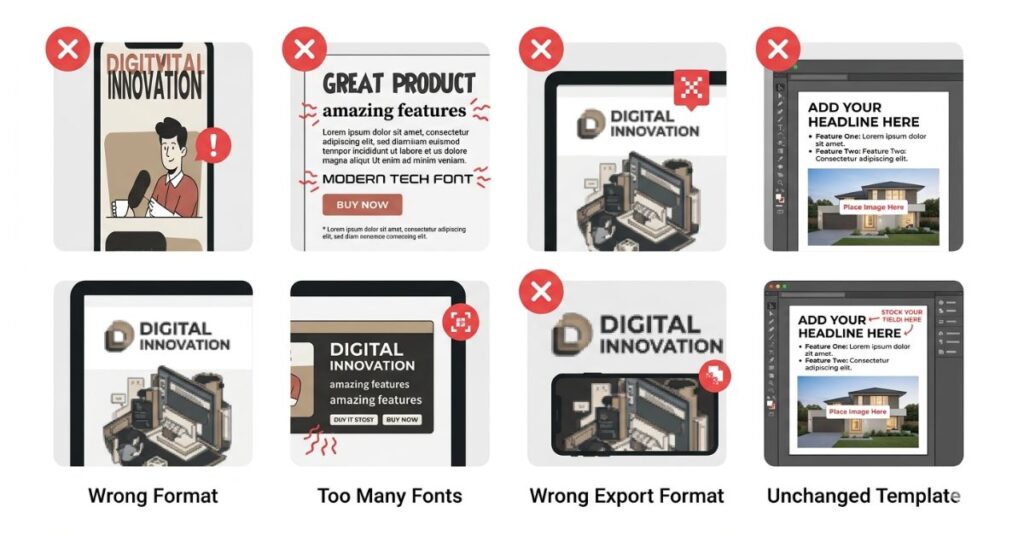
Starting a project in the wrong format.
Every design has a native format: the pixel dimensions, aspect ratio, and layout logic it was built for. A template designed for an Instagram post has different proportions and visual weight distribution than one designed for a YouTube thumbnail or a presentation slide. Designing in the wrong format and resizing at the end produces cropped, distorted or visually imbalanced output. Starting in the correct format for the destination platform takes ten seconds and determines the foundation of everything that follows.
For YouTube thumbnail creation specifically, AI prompts that generate thumbnail concepts can feed directly into whichever tool you choose here.
Adding more fonts when the design feels flat.
The instinct to add typographic variety when a design feels boring is almost always wrong. Flat designs are usually flat because the hierarchy is unclear, the spacing is uniform, or the visual weight is evenly distributed in a way that makes nothing prominent. Adding a third or fourth font introduces visual noise without resolving the actual problem. Two typefaces with clear hierarchy and intentional sizing almost always produce a more professional result than four typefaces with unclear relationships.
Exporting at the wrong format for the destination.
PNG exports clean edges and is the right choice for graphics with text and transparent backgrounds. JPEG compresses file size at a quality cost and is the right choice for photographs and complex images where edge precision is not critical. Accepting the default export format without checking produces consistently unnecessary quality loss or file size problems depending on which default was applied. This takes fifteen seconds to verify and matters more than it looks like it should.
Publishing the template without changing anything substantial.
Both tools make it possible to swap the headline text and the main image in a template and call it a finished design. The result is a design that looks like the template because it is structurally the template. Changing the color palette to match your brand, adjusting the font weights to create clearer hierarchy, and replacing any stock imagery with something specific to your context converts the template from a borrowed design into a personalised one. The work takes ten additional minutes. The output quality improvement is visible to anyone who has seen the original template.
Which One to Choose. A Direct Answer.
Choose Canva if: you are a complete beginner and want the most forgiving entry point. You produce high volumes of social media content and need trend-aligned templates regularly. If you need video editing alongside graphic design in one tool. You work with a team and need real-time collaboration. You design primarily on mobile.
Choose Adobe Express if: typography quality matters to you and you want access to professional-grade fonts without paying. You produce output for clients or commercial projects and want AI-generated imagery you can use without licensing ambiguity. If you are already using other Adobe tools and want a consistent workflow. You find Canva’s interface slightly too guided and prefer to bring your own creative direction. You need basic brand consistency tools without paying for them.
Use both if: your work spans use cases that each tool handles better. There is no reason to commit to a single tool. Using Canva for high-volume social media templates and Express for brand-consistent professional materials is a coherent workflow and costs nothing extra.
What You Should Do. Actionable Steps.
Step 1: Create a free account on both tools before deciding. Both are free to join and the actual experience of working in each tool is more reliable information than any comparison article including this one.
Step 2: Use each tool to complete one real project, not a tutorial. The difference between how a tool feels during a guided tutorial and how it feels when you are trying to produce something specific is significant.
Step 3: In Canva, identify the first three times you encounter a paywall during real work. These three features, consistently blocked, are the honest test of whether Canva Pro is worth the upgrade for your specific workflow.
Step 4: In Express, spend twenty minutes specifically in the Adobe Fonts browser. If the fonts available there are noticeably better for your needs than what you find in Canva’s free library, that single dimension may drive the decision for you.
Step 5: For any design in either tool, change the color palette before you do anything else. Matching your brand colors or making a deliberate color choice rather than accepting the template’s palette immediately makes the design feel less template-generated.
Step 6: Set your export format deliberately every time. PNG for graphics and text-heavy designs. JPEG for photo-dominant designs. PDF for anything going to print.
Frequently Asked Questions
Final Thoughts
The Canva vs Adobe Express question has a real answer, and it is not “it depends.” It depends on something specific: which tool is build for someone like you.
Canva is build for volume, accessibility and speed. It is the right choice for more people in more situations because more people are producing social media content at volume than are producing typography-forward commercial design work. That is not a criticism of Canva. It is an accurate description of what the tool is design to do and who it is design to serve.
Adobe Express was build for people who already have a design sense and want a tool that works with it rather than around it. The full Adobe Fonts access, the Firefly commercial guarantee, and the cleaner interface features are not to compete with Canva. They are expressions of the same underlying philosophy: assume the user knows what good design looks like and give them the best possible materials to work with.
The mistake is treating this as a competition where one tool wins. It is a user-tool match problem. Get the match right and either tool produces genuinely impressive output at zero cost. Get it wrong and the tool that “won” the feature checklist will feel like it is working against you on every project.

Pingback: Best Free Video Editing Apps for Android in 2026 (No Watermark)